Customer Interaction Robots, From Product Help to Check-In
A shopper searching for a product, a visitor looking for a bank service and a guest arriving at reception all need a clear next step. A robot that can interact with customers can share information, answer common questions or guide people through a venue, while staff remain available for more complex conversations.
Customer service robots take different forms and suit different tasks. Some focus on directions and simple enquiries; others use screens, speech or a human-like appearance to make information easier to access. The right fit depends on where customers need help and which interactions you want staff to handle. This article explains what these robots can do, considers common applications and outlines how they can support customer-facing service without replacing human judgement or personal attention.
Key Takeaways
- Customer service robots can provide basic information and directions, leaving staff free to handle more complex conversations.
- Choose a model according to the job it needs to do, from answering simple enquiries to supporting movement through a venue.
- In retail, plan how customers will find product information and get help without losing access to staff.
- For banks and shopping centres, consider where visitors need guidance and how a robot can fit into the existing service flow.
- At reception, define how greetings and check-in should work, including when a staff member needs to take over.
What Are Customer Service Robots?
A customer service robot is a professional service robot designed to provide information or assistance in a public-facing setting. A robot that can interact with customers may use speech, a screen or movement, depending on the support visitors need.
Staff Support for Routine Enquiries
These robots can handle clearly defined requests, such as directing a hospital visitor to a department or showing where a bank’s forms are available. Their practical value is not just answering questions: they provide a consistent first point of information while employees remain available for individual circumstances.
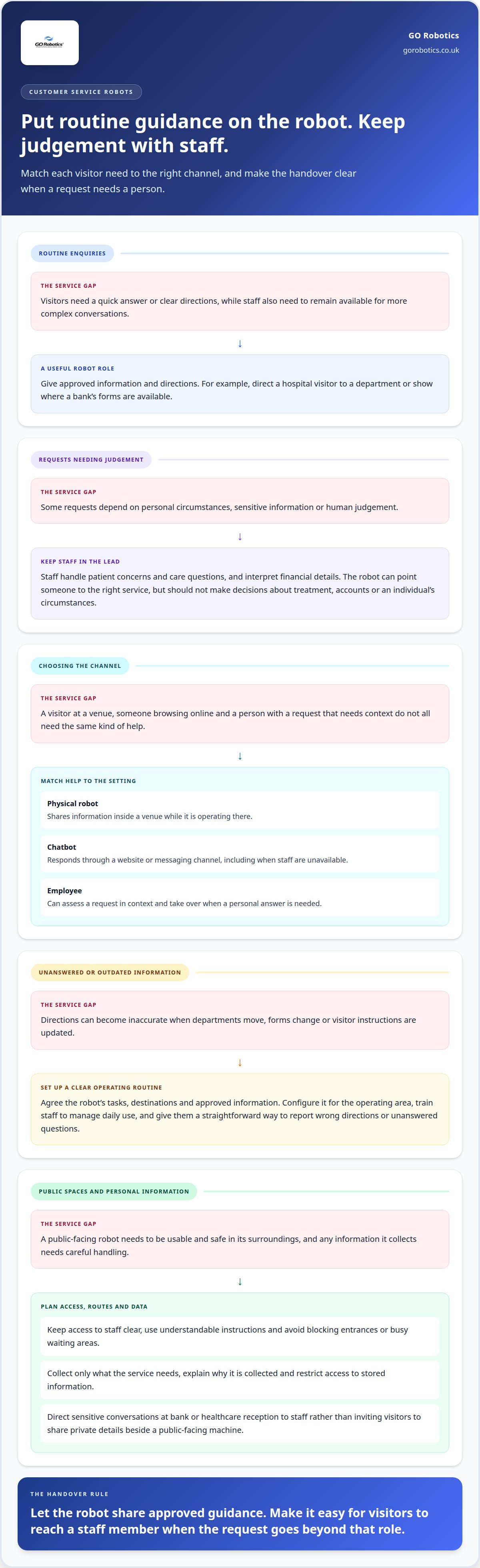
Begin deployment by agreeing on the robot’s tasks, destinations and approved information. Configure these details, introduce the robot to its operating area and train staff to manage its daily use. Give employees a straightforward way to report inaccurate directions or unanswered questions. Ongoing support is useful when departments move, forms change or visitor instructions need updating.
In healthcare, keep the robot’s role focused on non-clinical visitor support. It may direct someone to an outpatient department, but patient concerns and care questions belong with staff. In a bank, it might point visitors to a form or service desk, rather than interpret their financial details.
Comparing Robots, Staff and Chatbots
A physical robot provides information inside a venue; a chatbot responds through a website or messaging channel, while an employee can assess requests in context. Each offers help in a different setting and in a different way. A visitor at a clinic entrance may need directions immediately, while someone browsing a bank’s website may first need basic information online.
For a business, the key is to define responsibility. Specify which requests the robot can answer, what information it can display and when staff should take over. It can share approved directions or explanations, but should not make decisions about treatment, accounts or an individual’s circumstances. Clear boundaries make the service easier to manage and help staff address gaps without treating the robot as the final authority.
Accessibility, Safety and Privacy
UK deployments should consider whether visitors can access and use the service, whether the robot can operate safely in its surroundings, and how any personal information is handled. Plan clear access to staff, usable instructions and routes that do not obstruct entrances or busy waiting areas. These are practical design considerations, not a substitute for assessing the duties relevant to a particular venue.
Data risks depend on what the system collects, such as spoken requests or information a visitor enters. Limit collection to what the service needs, explain its purpose clearly and restrict access to stored information. At a bank or healthcare reception, direct sensitive conversations to staff instead of inviting visitors to share private details beside a public-facing machine.
Customer service robot models and their use cases
Customer service robots vary in form and function, from human-shaped models to units designed for specific tasks. Choose a model that fits the interaction you want to support, such as giving directions or answering routine questions.
A humanoid robot has a human-like body or face, which can make it recognisable as a service point. A non-humanoid model may instead use a screen, display or mobile platform to present information. For example, a venue might use a screen-based unit to share directions, while a reception robot provides a visible point for basic enquiries.
Start with the task, not the appearance. List the questions visitors commonly ask, the information they need and where they ask for it. A wayfinding role calls for clear directions; a product-information role needs accurate, easy-to-follow answers. The robot’s form should support its function, not distract from it.
Humanoid and Non-humanoid Models
Humanoid models have a human-like appearance, while non-humanoid models may take the form of a screen-equipped unit or mobile platform. Your venue’s layout and customer needs should guide the choice. A prominent humanoid unit may suit a dedicated welcome point; a compact information display may work better in a queue or entrance where visitors need a quick answer.
Neither form guarantees a natural conversation. Give the robot a defined role and clear information to present. For example, a visitor-facing unit can direct people to the correct counter, while staff handle requests beyond its assigned function.
Round-the-clock Customer Service
Website chatbots can answer initial questions at any time, including when staff are unavailable. A physical robot provides customer service while it is operating at its venue, so it should not be treated as an automatic round-the-clock channel. For example, a hotel chatbot might explain check-in arrangements after hours, while a reception robot gives directions when in service.
Set expectations within the interaction. A clear response can direct visitors to a member of staff when they need a personal answer. Keep information current, especially opening times, service changes and event arrangements.
Reception Use Cases
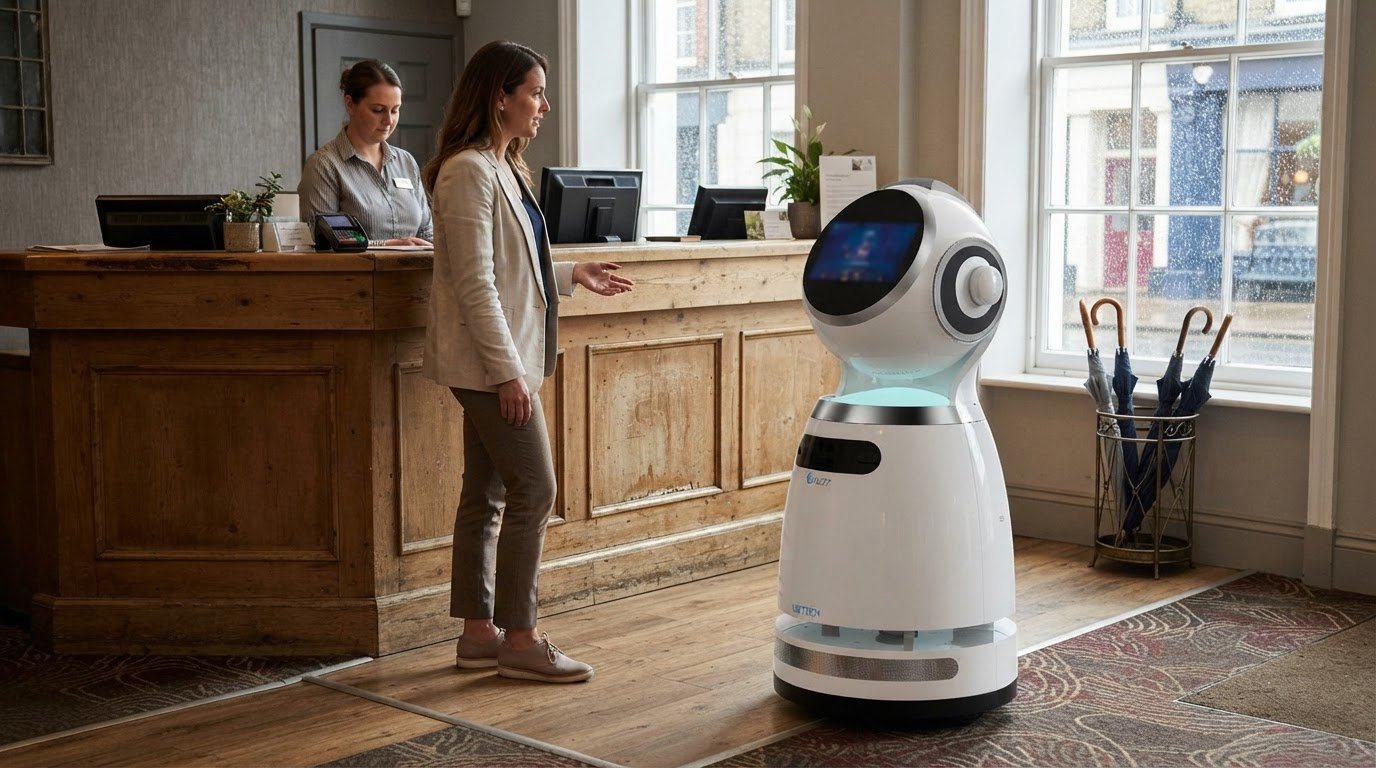
At reception, a customer service robot can greet visitors with prepared information, give directions or guide them to the right service point. This can help people arriving for a meeting, appointment or event understand where to go. Its role should be specific: make the next step clear rather than attempt to handle every conversation.
Plan its position around visitor flow and staff handover. For example, place the information point where arrivals can approach without blocking the entrance, and make it clear how to reach a receptionist. To explore commercial reception robot options, consider which enquiries and directions would be most useful at your welcome desk.
Retail assistance and product information
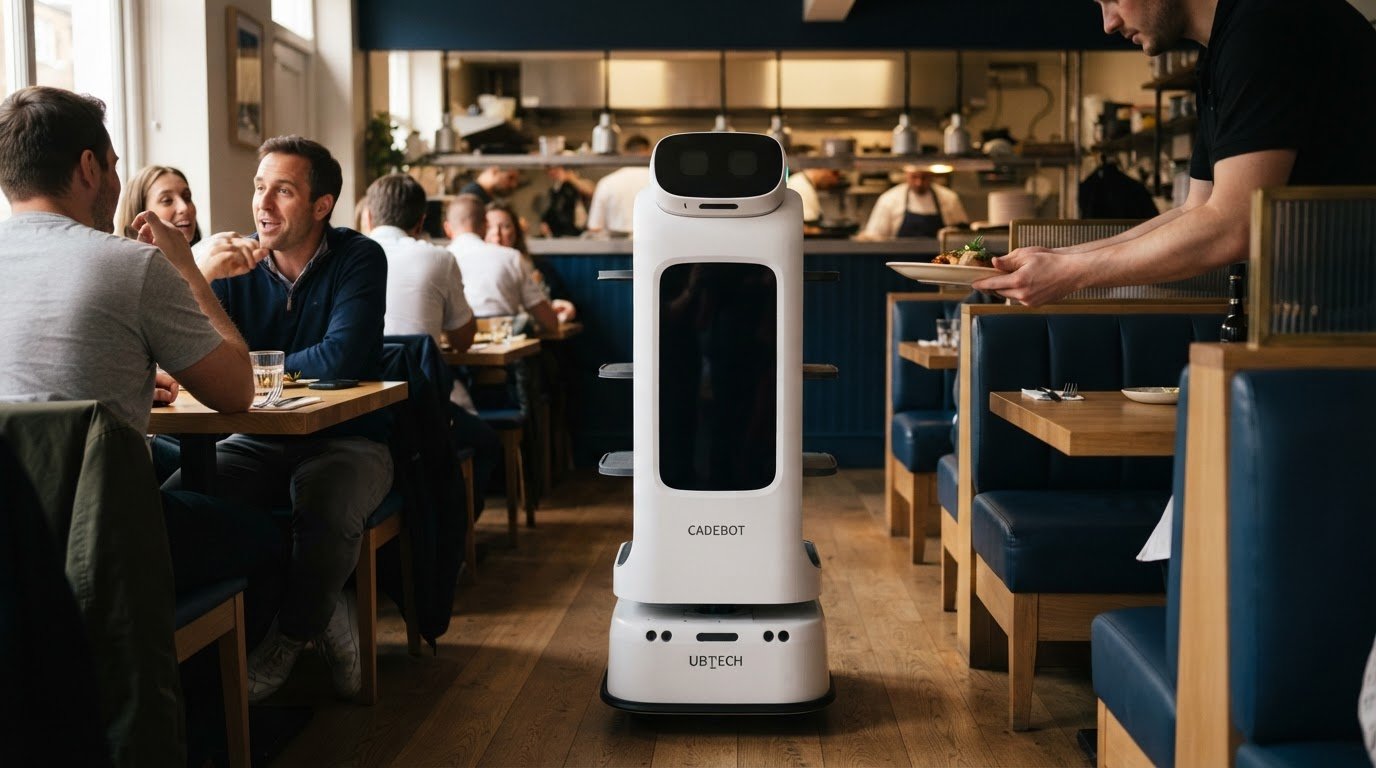
In retail, a customer-facing robot can guide shoppers to products and share basic information. Its value depends on whether it gives useful answers while leaving staff available for requests that need personal attention.
Customer-facing Tasks and Assistance
Customer-facing assistance can mean helping shoppers with simple tasks, such as finding an aisle or locating a product category. A robot can direct someone to the right area, while an employee handles detailed questions about fit, suitability or stock.
For example, a shopper looking for kitchenware could ask for directions to that department. Product recommendations should rely on relevant, approved information, rather than assume the robot knows each customer’s needs. Keep the task clear: direct, inform or refer.
AI may help managers organise training materials, but whether it can give new starters useful performance feedback or personalised learning tracks depends on the system and the information available. Any feedback should be checked by a supervisor and should complement practical staff training, not replace a supervisor’s judgement or knowledge of the shop floor.
Multilingual Robot Assistance
Multilingual assistance presents information in more than one language, helping visitors who prefer not to communicate in English. A retailer could offer product-location directions in selected languages, provided each version is clear and reflects the current store layout.
Plan language support around your customers and the questions they ask. For example, translate directions and basic product details before adding more complex explanations. Staff should be ready to help if a translation is confusing or a customer needs product advice.
At a live event, a robot could help guests find registration, seating or an information point. At a product launch in a shopping centre, organisers could provide directions and event details for visitors to access on site. Assign staff to update the information if the programme or layout changes.
Features for Customer-facing Robots
Look for features that suit the task: clear communication, easy-to-read information and content that can be kept current. A retail robot giving directions should make destinations easy to understand and offer a straightforward way to reach human assistance when a question goes beyond its role.
Consider how staff will manage the content and support the robot each day. For example, a shop manager should be able to update an aisle direction after a display moves. For live events, make sure the information reflects the current registration point and guest route.
Before choosing a model, list common customer requests and match each one to a specific task. A robot might help with product locations, while staff handle recommendations and complex enquiries. This division gives you a practical way to judge whether its communication features and functions suit your retail setting.
Robot deployment in banks and shopping malls
Banks and shopping centres can use customer service robots to guide visitors, answer basic questions and direct people to services. Start by choosing a specific task, such as locating a counter, shop or information desk, then define what visitors need to know to complete it.
In a bank, a robot could direct visitors to personal banking, business services or a self-service area. It might show where to collect a form, but staff should handle questions about accounts, lending or personal circumstances. Keep general directions separate from confidential discussions. This helps visitors understand what the robot can answer and when to approach an employee.
A shopping centre can use a robot to help visitors locate a shop, facility or event space. Use destination names that match the centre’s signs and directory. If someone asks for a retailer, directions should lead to the right place using familiar names. Staff can assist with requests involving lost property, complaints or individual needs.
Deployment requirements depend on the venue and the task. The model, site layout, installation, software configuration, connections to existing systems and ongoing support all shape how the robot is introduced and managed. A bank with several service areas has different needs from a shopping centre that mainly needs tenant directions. Define the task and service flow before deciding how the robot will fit.
Assess whether the proposed task is useful in practice. Record the questions visitors commonly ask, where staff answer them now and whether the robot can provide a suitable first response. For example, a shopping centre could trial directions to a frequently requested facility. Review whether visitors reach it successfully and whether staff need to correct or clarify the guidance.
If the robot supports spoken requests, test how it handles common wording and different ways visitors might ask for the same destination. Start with approved information, such as a bank’s service locations or a centre’s shop directory. Have staff review answers, remove outdated details and decide how the robot should respond when a request falls outside its role.
Language support also needs practical planning. Select languages that suit your visitors, then review each translation for clear directions and service descriptions. A shopping centre might provide translated directions to customer facilities, while a bank could use simple wording to guide people to a service desk. Keep staff available for detailed or sensitive enquiries.
Set responsibilities before launch. Decide who updates directory information, trains staff and reports operational issues. Once the robot is operating, review visitor feedback and questions it could not answer. Update its information or placement when tenants, services or visitor routes change, so it continues to serve the venue’s needs.
Front-desk greetings and visitor check-in
At reception, a service robot can greet visitors, answer basic questions and give directions. Humanoid designs and screen-based mobile robots can serve as a visible information point, while staff remain responsible for requests that need judgement or a personal conversation.
Which robots can greet customers, answer questions and give directions? Reception robots with a screen, speech function or humanoid form can present greetings and prepared information. Their usefulness depends on the answers and directions configured for the venue.
At a hotel, a robot could welcome arriving guests and direct them to reception, the lifts or the restaurant. In an office, it might guide a visitor to a meeting area or explain where to wait. Keep greetings brief and destinations consistent with the building’s signs.
Check-in requires a clear distinction between guidance and data handling. A robot can point visitors towards the check-in process, but collecting names, appointment details or identification requires suitable system functions and careful information handling. Do not assume every reception robot can access booking records or complete check-in without integration.
Map visitor flow before choosing where to place the robot. Identify where people enter, where they pause and how they reach a staff member. For example, a robot beside the entrance should not obstruct the route to reception or confuse visitors about where to queue. Test its directions against the routes guests actually take.
Prepare the information staff want the robot to provide. This might include department, meeting room and visitor-facility names, along with a clear instruction for reaching a receptionist. Set a handover point for unusual requests, late arrivals or visitors who need extra help. Staff should know how to update information when room names or procedures change.
During daily operation, assign someone to check that greetings and directions remain accurate. A changed meeting room or temporary entrance can make a once-correct answer misleading. Staff can report errors, while a named manager reviews the wording and updates the approved information. This keeps the robot’s role focused and helps visitors reach the right person.
Use visitor feedback to check whether the robot’s instructions are clear. If people repeatedly ask staff where to go after using it, revise the directions or placement. The aim is to support reception, not replace the welcome or personal assistance employees provide.
Discuss reception robot options for your venue and visitor flow.
GO Robotics
GO Robotics can help you match customer-facing tasks to a suitable robot. Its range includes Pudu BellaBot, Pudu KettyBot and Pudu HolaBot, which may suit different interaction needs, from guidance and information to support around a venue.
Before recommending a model, GO Robotics surveys your site and considers how visitors move, where they need assistance and which enquiries staff should handle. The team can supply, install, integrate and support the selected robot, helping you plan its role alongside your existing service.
If you’re considering a robot for customer interaction, contact GO Robotics to discuss your venue and the tasks you want it to support.
Plan a clear first step for customer interaction
Start with one customer interaction you want to improve, such as finding the right service desk or getting a clear answer at reception. Define a useful outcome, the information the robot needs and when staff should take over. This gives your team a practical basis for deciding whether a robot that can interact with customers suits your venue.
Then consider how the robot will sit alongside your staff and existing processes. The right choice should support a defined task, not add another layer for employees to manage. GO Robotics offers Pudu BellaBot, Pudu KettyBot and Pudu CC1 for businesses considering customer-facing robotics.
Discuss your venue, intended use and operating requirements with GO Robotics. Contact GO Robotics to discuss your needs and take a considered next step towards customer service that works for your team and visitors.
Frequently Asked Questions
What types of customer-facing robots are available for businesses?
Customer-facing robots can be grouped by how they are used: fixed at a service point, mobile within a venue or accessed remotely through a digital channel. This distinction helps with planning. A fixed unit needs a suitable location and power access; a mobile one needs a defined role and operating area; a chatbot needs a defined online service. Compare these practical requirements before focusing on appearance.
What are the best customer interaction robots for retail, hotels and restaurants?
There’s no single best model across retail, hotels and restaurants; the right choice depends on the setting and customer task. GO Robotics offers Pudu BellaBot, Pudu KettyBot and Pudu CC1. Shortlist models against your venue’s layout, expected interaction and staff workflow. For example, consider whether customers need a stationary information point or an interaction that moves around the venue, then assess each candidate against that use.
How do you set up and integrate a customer service robot?
Plan integration around the systems and processes the robot needs to work with, rather than treating installation as a standalone task. List any required connections to booking, directory or customer-service information, then decide who manages each connection and its content. Test the full interaction in the real setting, including what happens when information is unavailable. Keep a manual service route available during commissioning and subsequent changes.
Can customer-facing robots understand British accents and multiple languages?
Speech recognition varies by model, language configuration and how people speak, so do not assume every accent or phrase will be recognised equally well. Check whether supported languages suit your intended visitors, then test colloquial wording, names and common pronunciation differences. Decide how the robot should respond when speech is unclear, such as inviting the visitor to use a screen or directing them to staff.
What UK suppliers rent or sell customer service robots, and what support do they provide?
GO Robotics supplies commercial robots in the UK, with purchase, lease and robots-as-a-service (RaaS) options. Support can cover site assessment, installation, integration, staff training and technical assistance. Before choosing an arrangement, clarify who manages software, maintenance and fault reporting, and how staff receive guidance after the initial handover. These details help you understand the ongoing responsibilities attached to the robot, not just how it arrives on site.