How to introduce robots at work while supporting your team
Introducing a robot at work is as much about people and processes as equipment. A new system can change how tasks are handed over, who handles exceptions and what employees need to learn. Thinking through these changes early helps you set a clear purpose for automation and manage the transition.
Employees are likely to have questions about what will change and how their roles may be affected. A practical plan explains the robot’s intended work, gives staff a way to contribute and considers how responsibilities might evolve. The aim isn’t automation for its own sake, but finding a suitable role for the technology in your workplace.
This article explores how to introduce robots to your workforce, from assessing tasks and preparing employees to reviewing a trial. You’ll learn how to assess productivity, identify skills that changing roles may require and use hands-on testing to guide your next decision. The result should be a deliberate approach shaped around your operation and the people who keep it running.
Key Takeaways
- Involve employees early and use their day-to-day experience to spot tasks where automation could help.
- Explain what the robot will do, how it affects people’s work and where staff can raise concerns.
- Start with repetitive, physically demanding or routine tasks, then assess how automation affects the team’s workload.
- Prepare for changing responsibilities with practical training for the people who will work alongside or operate the robot.
- Use hands-on trials to help staff become familiar with the robot and identify practical issues before wider adoption.
Human-robot interaction: What changes in the workplace?
A workplace robot can change task handovers, staff responsibilities and how teams share work areas. Day-to-day feedback from employees can help identify where automation may assist and what needs planning.
Employee involvement in automation decisions
Employee involvement means asking the people affected by a robot to contribute to decisions about its task and deployment. Their knowledge helps managers understand how work happens in practice, not just how it looks in a process diagram.
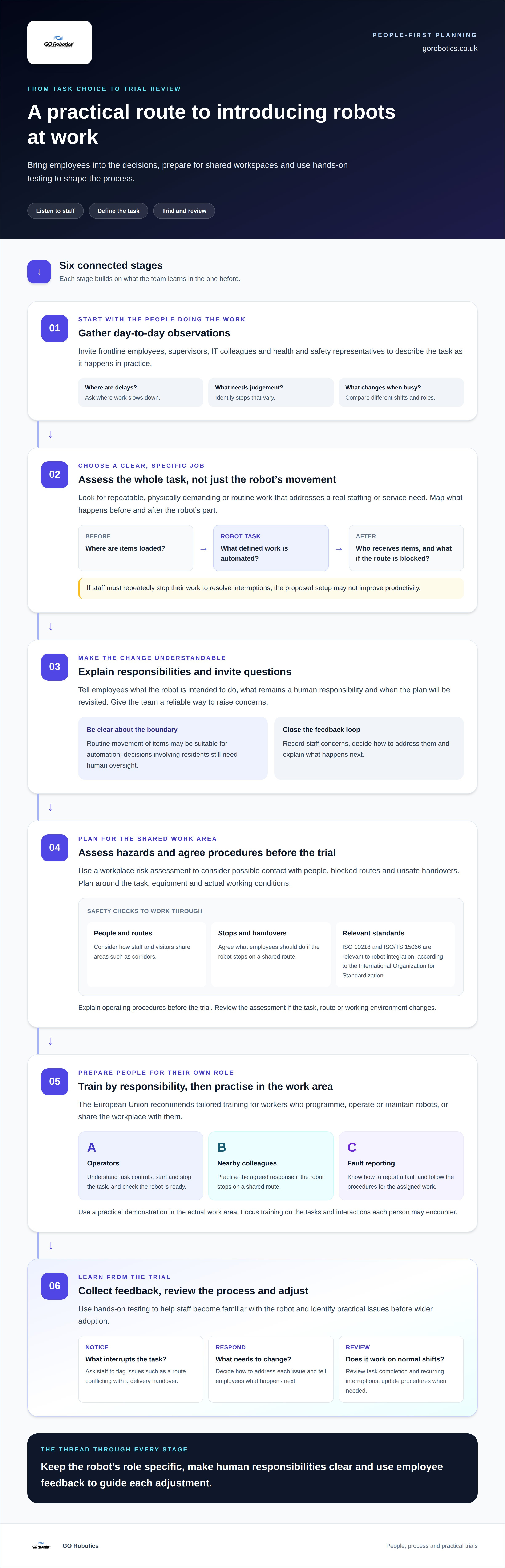
Invite frontline employees, supervisors, IT colleagues and health and safety representatives to describe the task under consideration. Ask where delays occur, which steps require judgement and what changes during busy periods. For example, a hotel team might identify a supply handover that repeatedly interrupts reception duties. That observation gives decision-makers a specific task to assess, rather than a broad aim to automate.
Gather examples from different shifts and roles, then record shared constraints. A cleaner may notice a route obstruction that a manager rarely sees, while a supervisor may identify a handover problem. Compare these observations before choosing a trial task. Involving stakeholders early also brings practical questions about work areas, responsibilities and staff communication to light.
Employee concerns and feedback
Address concerns by explaining the planned change and giving employees a reliable way to ask questions or comment on robot use. Uncertainty about duties, job security or safety can affect how staff respond to a new process.
Explain what the robot is meant to do, what remains a human responsibility and when the team will revisit the plan. Invite questions at a team meeting, then collect feedback during a trial. For instance, staff might flag that a proposed route conflicts with a delivery handover. Record the issue, decide how to address it and tell employees what happens next.
Grants and other funding depend on each scheme’s eligibility criteria and project requirements, so assess those criteria against the proposed automation before relying on support.
UK workplace robot safety rules
Plan workplace robot use around the hazards of the task, equipment and shared area. ISO 10218 and ISO/TS 15066 are safety-compliance standards relevant to robot integration, according to the International Organization for Standardization.
Use a workplace risk assessment to identify possible contact with people, blocked routes and unsafe handovers. For example, consider how staff and visitors share a corridor during a delivery task, and agree what employees should do if the robot stops there. Set out operating procedures and explain them to affected workers before the trial begins.
Review the assessment if the robot’s task, route or working environment changes. Ask employees to report hazards, then consider whether procedures or the task need adjusting. This keeps safety planning grounded in actual working conditions rather than assumptions made before deployment.
Using robots to support productivity and labour needs
Automation can support productivity when robots take on suitable, well-defined work. Before operating equipment or sharing its workspace, workers need training suited to their roles.
Robots supporting workers
Robots can handle repeatable tasks, giving people more time to focus on work that requires judgement, communication or problem-solving. Their value depends on whether they address a real staffing or service need.
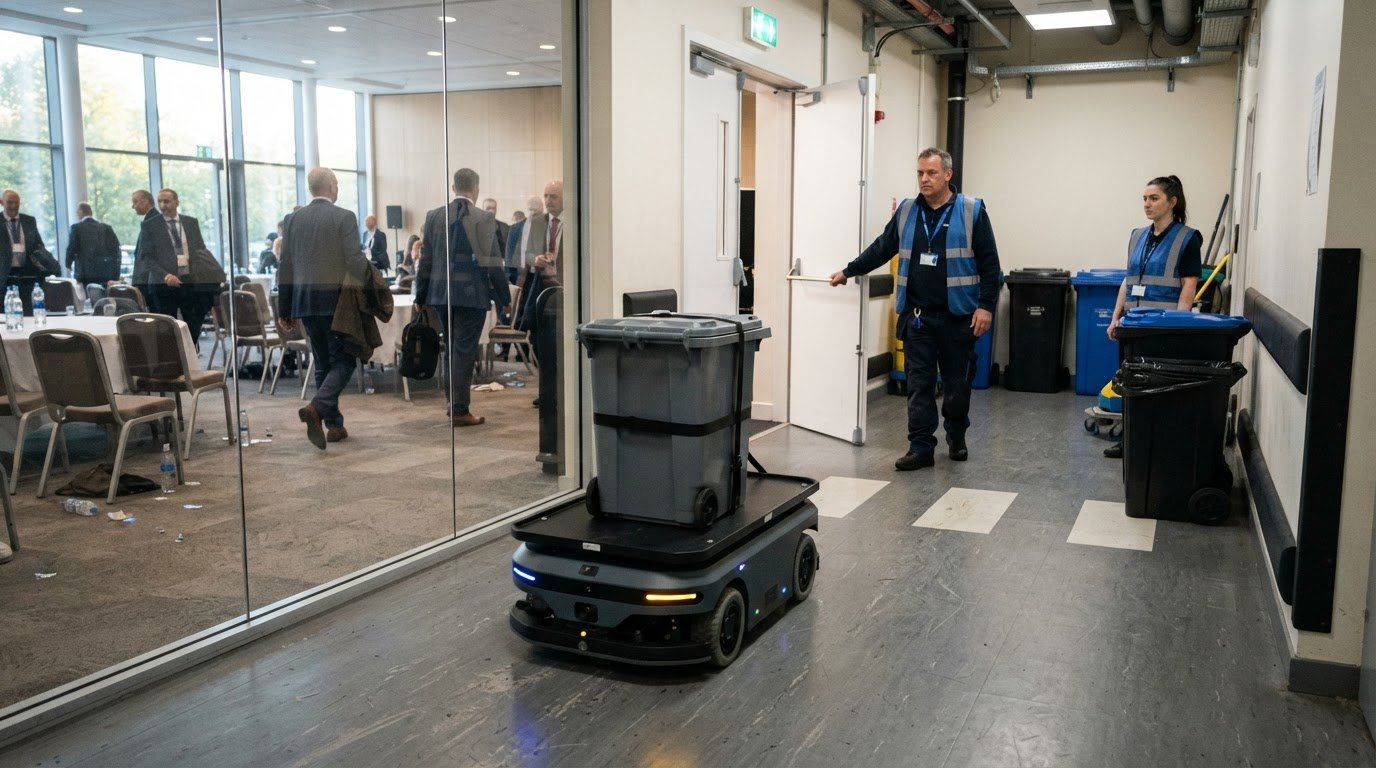
For example, a mobile robot might carry supplies between a stockroom and a service area, while staff handle requests that vary with each delivery. In a care setting, routine movement of items may be suitable for automation, but decisions involving residents still need human oversight. Make this distinction clear to employees before changing the process.
Assess the entire task, not just the movement a robot performs. Consider where items are loaded, who receives them and what happens when the route is blocked. If staff must repeatedly stop their work to resolve interruptions, the proposed setup may not improve productivity. A process map can show where human attention is still needed.
Automation can also assist with physically demanding or unpleasant duties. Identify the specific activity and discuss its effect on workers, rather than suggesting a robot will replace someone’s role. Explain which duties may change and how employees’ time could be redirected. This makes the business case concrete and clarifies the intended change for staff.
Training for safe robot use
Training for safe robot use means preparing each employee for the tasks and interactions they may encounter. An operator, maintenance worker and nearby colleague each have different responsibilities.
The European Union recommends tailored training programmes for workers who will program, operate or maintain robots, or share the workplace with them. Match instruction to the job: operators need to understand task controls, while nearby staff need guidance on agreed procedures and how to respond to interruptions.
Use a practical demonstration in the actual work area. Show operators how to start and stop a task, check that the robot is ready and report a fault. Nearby colleagues should practise the agreed response if it stops on a shared route. Tailor training to the robot’s assigned work instead of asking staff to learn features they won’t use.
Support adoption beyond initial training by reviewing how the process works during normal shifts. If a task changes or employees report recurring interruptions, update the procedure and give affected staff time to practise. Managers can also review whether the robot completes its assigned work and whether people can do their own duties without disruption. Make ongoing support part of the working routine, not a one-off briefing.
Changes in worker skills and job requirements
Automation can change the skills a workplace needs, even when humans remain responsible for the service or product. Plan for workers to use robots effectively, not simply work around them.
Worker skills and competence
Worker competence means having the practical knowledge and confidence to carry out a role involving robots. It matters because new tasks can include operating equipment, spotting faults or adjusting a process.
The University of Michigan describes replacing unskilled labour with higher-skilled technicians and operators as an immediate implication of new machines. In practice, a warehouse role might include monitoring a robot’s progress, while a technician handles maintenance. Map the duties likely to change, then identify the skills each new task requires.
Build competence through practice tailored to each role. For example, let an operator rehearse starting a mobile robot, assigning its task and responding when it stops. Give nearby colleagues a separate explanation of how its route affects their work. This makes training relevant to the workplace, rather than a general introduction to robotics.
Competence also requires clear boundaries. Explain which decisions employees can make, when they should pause a task and whom to contact about a fault. A written procedure for a robot blocked by stock, for instance, gives staff a clear response instead of leaving them to guess.
Robots as tools and co-workers
Workers may see a robot as a workplace tool or as equipment that shares tasks and space with them. That distinction affects how people coordinate work and understand responsibility.
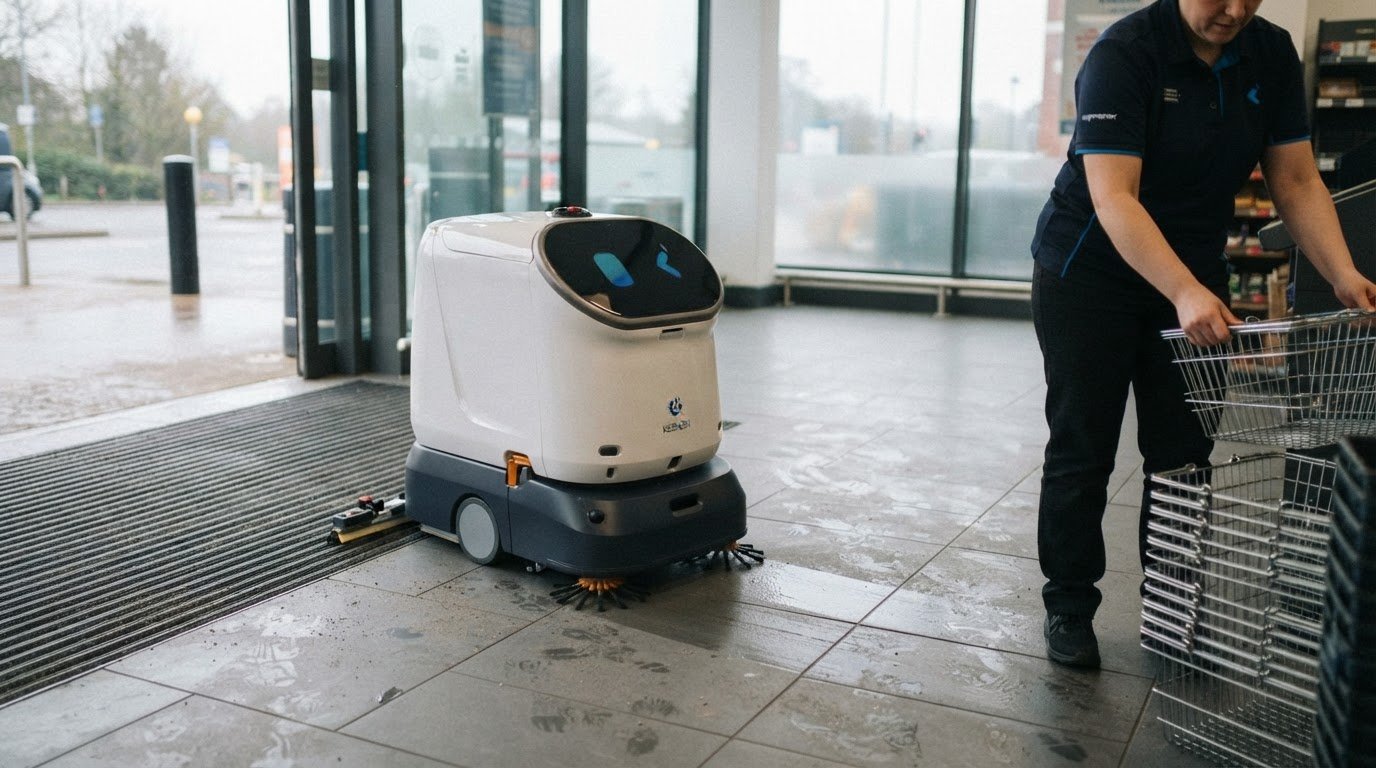
A floor-cleaning robot, for example, can handle an assigned cleaning task while staff attend to areas that need judgement or direct attention. In a shared corridor, employees also need to know how the robot operates and how to keep their own work moving safely. Describe the robot by its function, not as a person or colleague with human intentions.
Autonomous equipment can perform a defined task without continuous steering, but people still set its purpose and manage the surrounding work. Make responsibilities clear: identify who assigns tasks, handles interruptions and can stop operation. This helps workers understand where their decisions remain essential.
Monitoring should support effective work, not create uncertainty about control. If monitoring is part of the deployment, explain what the robot records and how managers use that information. Give employees a way to raise concerns, then discuss changes with the team before routines shift. Clear responsibilities and open communication help staff adapt to new duties while retaining human oversight.
Repetitive office tasks suitable for automation
Office automation works best for clear, repeatable tasks with consistent inputs, such as copying information between applications. Assess workforce readiness by reviewing the process, data quality, staff skills and training needs with the people who perform the work.
Start with a specific workflow. An office robot might verify application details, compare data across records or generate a document from a template. These tasks have identifiable steps, making it easier to see where a person needs to review exceptions. By contrast, an application requiring judgement or a sensitive conversation may still need an employee.
Before choosing a task, map how staff complete it now. Note where information comes from, who checks it and what happens when details are missing. For example, if an application arrives with an incomplete field, decide whether the system should flag it for a person rather than continue automatically. This helps stop errors from passing unnoticed between stages.
Communicate the plan early, before employees encounter a changed process. Explain which task may be automated, why it is being considered and what will happen to duties that change. Give staff a clear way to raise concerns about workload, accuracy or the effect on their roles. Early communication helps people prepare and lets managers address misunderstandings before implementation.
Readiness means more than having suitable software. Check whether the process is stable, records are accurate and employees know how to handle exceptions. Ask staff to walk through a real example, such as correcting a mismatched customer record. Their response may reveal training needs, unclear responsibilities or a step that should remain under human control.
Automation also brings risks that require active management. A robot could process incorrect data, expose information through poorly managed access, or create job uncertainty if duties change without explanation. For an industrial or mobile robot, consider physical interactions; for office applications, focus on data access, error checks and clear human review.
After launch, assess practical indicators: the number and type of errors staff find, delays caused by exceptions, and whether employees can complete their revised duties. Agree on these measures before deployment, then review them with the team. If the system repeatedly flags the same issue, investigate its source rather than asking staff to work around it.
Share success stories only when they reflect real results from your workplace. For example, describe how a team changed an application-checking process after finding a recurring error. Explain what employees contributed and what still needs human judgement. This makes improvement concrete without claiming automation can perform every task or replace every role.
Introducing robots through hands-on experimentation
Hands-on experimentation gives employees a practical way to learn how to introduce robots to your workforce. A supervised trial lets staff see how the technology behaves during a real task before routines change. Workers can observe, test and discuss newly introduced warehouse robots during the trial.
Choose one defined task for the first trial, such as moving supplies between work areas. Explain what the robot is expected to do, which tasks remain with people and who can pause the test. Clear boundaries help employees focus on the task instead of guessing how far automation might extend.
Invite employees who perform the task to take part. Ask them to watch the robot complete a normal run, then note where it slows work, interrupts a handover or needs human input. Their practical observations can reveal details that plans made away from the work area may miss.
Keep the trial close to real working conditions, but introduce changes in a controlled way. For example, test a delivery route during a quiet period before observing it on a busier shift. Record what happens at each stage, including blocked paths, unclear handovers and tasks the robot cannot complete.
Give workers time to try agreed interactions themselves. Depending on the robot and task, they might start a run, send it to a set destination or respond when it stops. Explain the procedure first, then let employees practise with a supervisor present. This helps them assess the equipment through direct experience.
Make questions part of the experiment. Ask staff what seems useful, what feels awkward and what could threaten safe or reliable work. Positive feedback is useful, as is a concern about a corridor, workflow or responsibility. Record both, then explain what will change before the next test.
Review the results with the participating team before wider use. Compare the planned task with what happened in practice: where the robot completed work, where a person intervened and whether the process affected other duties. If a repetitive task proves unsuitable, revise it or stop the trial rather than treating adoption as the only measure of progress.
For managers considering how to introduce robots to your workforce, each trial should guide a clear next decision: adapt the task, provide further instruction or consider a wider test. Hands-on testing helps employees assess a specific use, not automation in the abstract.
GO Robotics
GO Robotics can help you assess where a commercial service robot could fit your workplace and how to introduce it with your team in mind. A site survey helps match a suitable model to your layout, tasks and working routines, so planning starts with the work, not just the equipment.
For hospitality and delivery tasks, options include Pudu BellaBot, Pudu KettyBot and Pudu HolaBot. The right choice depends on what you need the robot to do and how employees will work alongside it. GO Robotics can support selection, installation and integration, providing a practical starting point for planning staff involvement and training.
If you’re considering a workplace robot, contact GO Robotics to discuss your requirements.
Plan a first step your team can shape
Deciding how to introduce robots to your workforce is an ongoing management choice, not a one-off equipment decision. As tasks and staff responsibilities evolve, keep employees involved in reviewing how the technology fits their work. A clear purpose, agreed responsibilities and room for feedback help you make informed adjustments.
When you’re considering service robots for your workplace, GO Robotics offers the Pudu BellaBot, Pudu KettyBot and Pudu CC1. The right model depends on the task and setting you have in mind, so start with the work you want to support and the people who do it.
Contact GO Robotics to explore workplace automation and discuss a practical next step for your team. A thoughtful start gives you and your employees a sound basis for deciding what comes next.
Frequently Asked Questions
How can you make the automation process easier for your employees?
Give employees a clear point of contact and a practical way to raise issues during the change. For example, name a shift lead to collect questions, share answers and flag problems affecting service. Provide brief updates when trial arrangements change, such as a robot’s route or operating times. This reduces uncertainty and helps staff know what to expect at each stage of adoption.
Robot or a human being - why is this a wrong question?
It presents automation as a choice between people and machines, when the useful question is which tasks suit each. A robot can handle a defined delivery or cleaning task, while an employee manages an unusual request or resolves a customer’s concern. Compare the work involved, not the value of a worker and the equipment. People remain responsible for decisions requiring human judgement and accountability.
Robots at work - what do they do?
Workplace robots perform assigned tasks, from moving items around a venue to cleaning floors or processing routine information. A mobile service robot, for instance, can follow a delivery route between a kitchen and service area. Office automation can copy or compare data and prepare documents from templates. The task depends on the equipment and setting; don’t assume a robot can handle every exception.
What are service robots?
Service robots are machines that assist people or perform tasks for customers and staff outside industrial production. In a hotel, one might support deliveries or routine floorcare; in a retail setting, a robot could assist with cleaning. Some operate in public-facing spaces, so route planning and customer impact matter. Their purpose is defined by the service task, not a human job title.
Why is a robot perfect as an employee?
A robot isn’t an employee, and “perfect” is the wrong expectation. It can repeat a defined task consistently, but people must decide what work it should do, set procedures and respond when circumstances change. For example, staff may need to handle an unexpected obstruction or a customer request during a delivery. Judge a robot by whether it suits a specific task, not by comparing it with a person.
What tasks are best suited to robots in a UK workplace?
Tasks with clear steps and repeatable inputs are often easier to assess for automation. Examples include carrying supplies along a set route, routine floor cleaning, checking application details or copying data between records. Consider how often exceptions arise and whether a person must use judgement. A task that regularly depends on conversation, discretion or changing circumstances may need a human lead.
What are the steps to plan and pilot workplace robot adoption?
Start by defining the work problem and the task you want to test. Involve the people affected, then assess the route, work area, handovers and safety procedures. Set out what success looks like, including how staff will record interruptions or errors. Run a limited trial, review observations with employees and decide whether to adjust the task, extend the test or stop it.
How should employees be consulted and involved when introducing robots in the UK?
Consult employees who perform or work near the tasks under consideration, and involve relevant managers, IT colleagues and workplace safety representatives. Ask staff to describe the process during a normal shift and what changes could disrupt it. Share the proposed task and invite questions before a trial begins. Then report back on feedback and explain any changes to the plan or working procedures.