Robot for Greeting Customers in Retail and Reception
A welcome matters most when it helps a customer take the next step. A robot for greeting customers can welcome visitors, answer routine questions and guide them towards products, services or the right part of a venue. It can handle straightforward interactions, while staff remain available for requests that need personal attention.
That doesn’t mean every robot greets people in the same way. Some use a screen or spoken prompts to share information, and the answers depend on how the system is configured. Routes, operating hours and charging also need to suit the venue and the way your team works.
This article explains how reception robots can greet and direct visitors, and how store FAQs can fit into the experience. It also covers what to consider when planning navigation, operating schedules and charging, so you can assess how a robot might support your team in practice.
Key Takeaways
- Match the robot’s route and customer guidance to your layout, including the aisles and busy areas it needs to reach.
- Plan runtime and charging around the venue’s opening hours, customer flow and the tasks the robot will perform.
- Use a reception robot for routine greetings and wayfinding, while keeping staff available for requests that need personal attention.
- Keep store FAQs focused on clear, practical information so shoppers can find answers and products without needing an app.
- Choose voice prompts and screen content that suit your visitors, venue and brand, then consider which interactions should pass to a member of staff.
Autonomous navigation and customer guidance
In the UK, plan a customer-facing robot around accessible routes and clear access to information. Keep routes unobstructed, and provide another way to get directions, such as a screen or staff assistance, for visitors who cannot use spoken prompts.
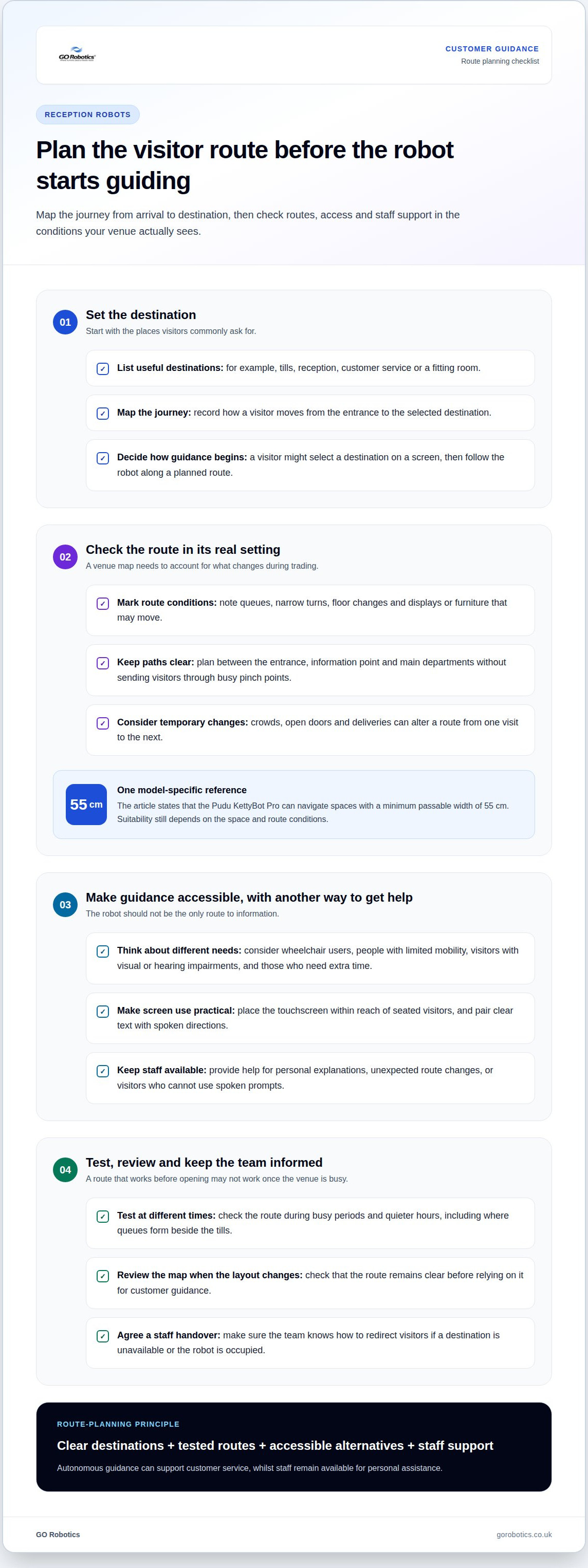
Autonomous navigation allows a robot to follow mapped routes without continuous steering by a person. Before it can guide visitors, the venue needs site mapping: a digital layout the robot uses to locate destinations and move between them. A route from the entrance to a fitting room, for example, should account for displays, queues and furniture that may move during trading.
Choosing a robot for greeting customers starts with the journeys visitors need to make. A visitor might ask for customer service, select that destination on a screen, then follow the robot along a planned route. For an escort, the robot travels at a pace suited to the space and stops at the destination. Staff should remain available for personal explanations or unexpected route changes.
Navigation depends on the environment as well as the map. Crowds, temporary stands, open doors and deliveries can change a route from one visit to the next. Sensors help a robot detect obstacles and adjust its movement, but careful route planning is still essential. A clear path between the entrance, information point and main departments helps a robot for greeting customers guide visitors without entering busy pinch points.
Accessibility should shape both movement and interaction. Consider wheelchair users, people with limited mobility, visitors with visual or hearing impairments, and people who need extra time. For example, place a touchscreen within reach of seated visitors, pair clear text with spoken directions, and avoid narrowing corridors. The robot should not be the only way to find a service or destination.
During planning, map the customer journey from arrival to destination. Include:
- Destinations: name places visitors commonly ask for, such as tills, reception or customer service.
- Route conditions: identify queues, narrow turns, floor changes and movable displays.
- Alternative help: show how visitors can get directions if the robot is occupied or unsuitable for their needs.
Test each route at different times, including busy periods and quieter hours. A route that works before opening may be blocked by a queue beside the tills. Review the map when the layout changes, and make sure staff know how to redirect visitors if a destination is unavailable. This planning helps autonomous guidance support customer service without replacing human assistance.
Review the map when the layout changes, and check that the route remains clear before relying on it for customer guidance. The Pudu KettyBot Pro can navigate spaces with a minimum passable width of 55 cm. A robot’s ability to navigate narrow aisles depends on the space and route conditions. In retail spaces, robots can explain promotions and help shoppers locate products; these functions can make the journey more informative, while staff remain an alternative for visitors who need personal assistance.
Battery runtime and charging
Plan battery use around the hours the robot needs to greet visitors and the tasks it performs. Its operating schedule and charging arrangements should fit the venue’s daily routine, rather than rely on a headline runtime figure.
Runtime between charges
Runtime is how long a mobile robot can work before it needs recharging. In practice, it depends on the model, route, stops and active features. A robot travelling repeatedly between a shop entrance and customer service may use its battery differently from one that stays near reception and answers questions.
Screen brightness, audio prompts and frequent movement can also affect battery use, as can repeated starts, turns and detours around queues. A manufacturer’s quoted runtime may reflect particular test conditions, so compare like with like and check whether the figure represents real customer-facing work.
Set the expected working pattern before choosing a model. Map its planned duties, including when it starts, where it travels and when staff can pause it. For example, a retail team might schedule greeting and wayfinding during opening hours, then use a quieter period for charging and checks.
Battery endurance should cover the robot’s actual shift, not just the time it is switched on. A robot that spends part of the day stationary has different demands from one travelling continuously between departments. Ask for runtime information under conditions close to your planned use, then build the schedule around that evidence.
Self-charging operation
A self-charging setup pairs a mobile robot with a powered docking station. On models designed for this function, the robot can return to its dock automatically when the battery reaches a set level or its schedule allows. The exact behaviour depends on the model and its settings.
Position the dock somewhere the robot can reach without disrupting customer movement. For example, a reception team could place it away from the entrance queue and set a route between the dock and greeting point. Staff should know how to keep that route clear during deliveries or layout changes.
Automatic charging still requires a workable operating plan. Decide when the robot should leave its service area, how it resumes work after charging, and who handles an interrupted docking attempt. A planned charging window can limit disruption during busy periods, while a clear staff handover helps maintain customer guidance.
When assessing a setup, match the battery specification, docking arrangement and intended timetable. Plan robot charging around your venue by considering its busiest hours, routes and customer-facing tasks together.
What is a reception robot?
A reception robot is a customer-facing machine that can greet visitors, share information and support simple wayfinding. Its role depends on the venue, the robot’s features and the tasks assigned to it.
Greetings and visitor detection
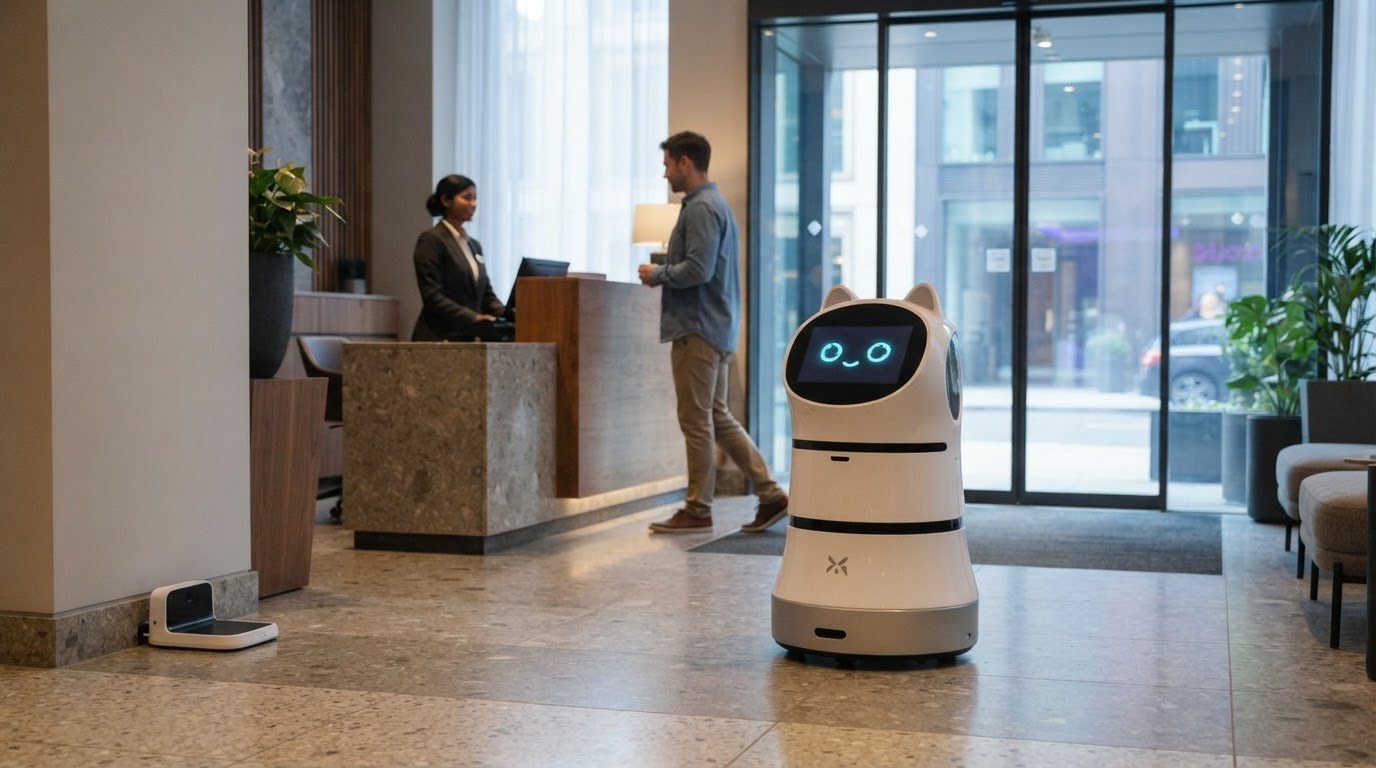
At a hotel entrance, a reception robot might welcome arriving guests with a screen, spoken prompt or both. Visitor detection describes how it notices someone nearby and starts an interaction; the method varies by model. Decide whether greetings should start automatically or only after a visitor taps the display, and keep staff available for requests that need judgement or a personal response.
A robot can handle repeatable greetings and basic directions, while people manage complex, sensitive or emotional requests. A kiosk offers self-service information from a fixed point; a mobile robot can also guide visitors through suitable spaces. Automation should support staff, not replace the personal service they provide.
Visitor check-in, wayfinding and information
A front-desk check-in might ask a visitor to select an appointment, enter a name or contact reception. Explain what happens next, such as waiting in a named area or following directions to a meeting room. A touchscreen can show opening times, department locations, store FAQs or a site map without requiring an app download.
Prioritise clear on-screen instructions, useful spoken prompts, accessible information and an easy route to human assistance. For example, a shop could show where customer service is and how to find a product category. Connections to booking, customer relationship management (CRM) or visitor-management software depend on the robot and the systems involved, so plan integrations around those requirements.
Businesses in the UK can buy or lease greeting robots through commercial robotics suppliers. Deployment generally involves defining visitor tasks, preparing venue information, mapping routes and configuring the interaction. Customisation may include messages, destination names and screen content, depending on the selected model’s functions.
Recognition and visitor privacy
Facial recognition compares a visitor’s face with stored information to support identification or check-in. It is not essential for a greeting robot: visitors can use a touchscreen or speak to reception instead. In the UK, personal data must be handled in line with applicable data-protection and privacy requirements. Explain what information is collected, why it is needed, who can access it and how long it is kept.
Recognition also has practical limits. A visitor may decline, the system may not identify someone correctly, and camera-based processes can raise concerns in public spaces. Provide a clear alternative check-in route and make staff assistance easy to find. The right approach depends on visitor needs, privacy expectations, venue layout and the tasks the robot can perform reliably.
Customer questions store
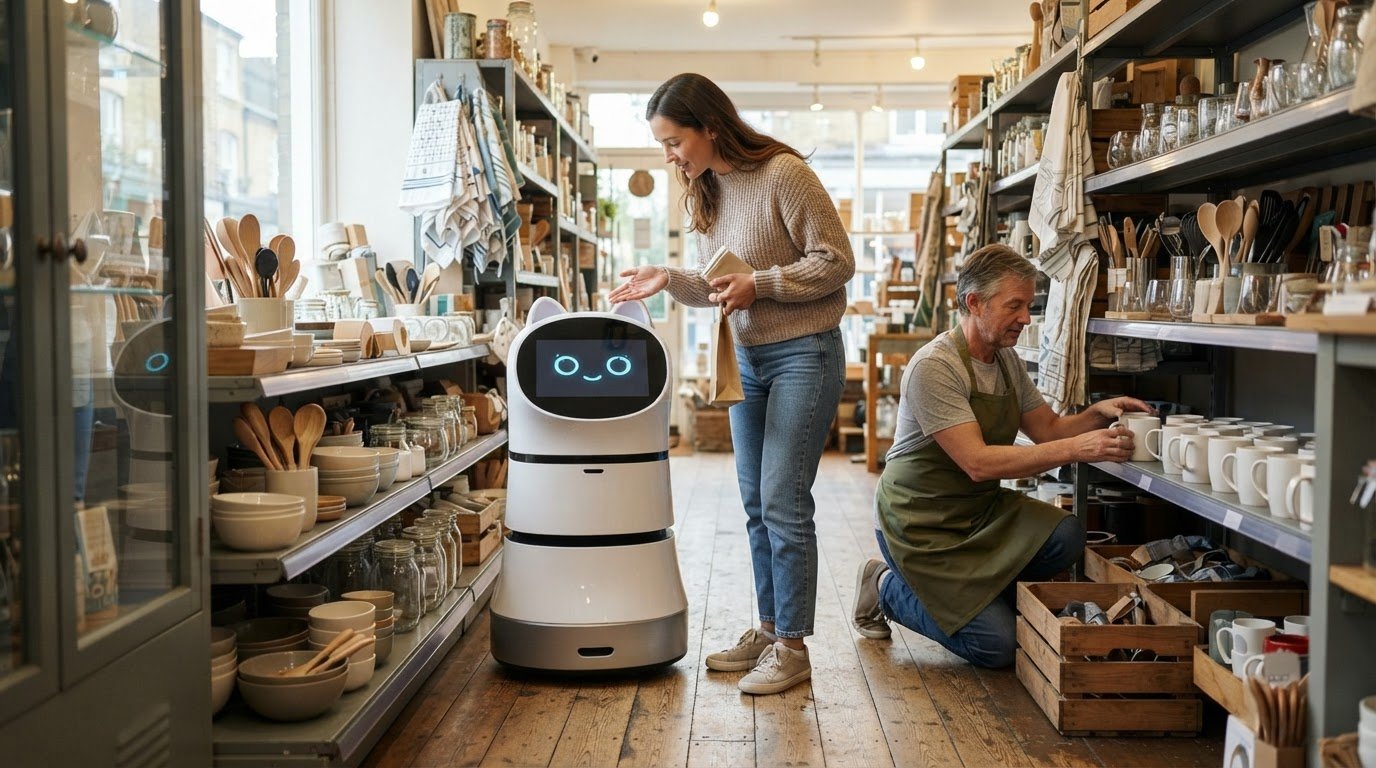
In retail, customers often need quick answers before deciding where to go. A greeting robot can present store FAQs, such as where to find returns, fitting rooms or a particular department. Keep answers focused on information the venue can provide clearly, rather than expecting the robot to resolve every complex request.
Start by collecting common questions from the shop floor and customer service desk. Group them by task, such as finding a product, locating a facility or understanding a store process. For example, “Where are children’s shoes?” needs a department location, while “How do I return an online order?” may need a brief explanation and a route to staff.
Write each answer in plain language and include a clear next step. “The returns desk is beside the main tills” is more useful than a vague direction to ask someone nearby. If the answer depends on a product, order or customer’s circumstances, direct the visitor to a staff member rather than risk misleading them with general advice.
- Product locations: use department names and familiar landmarks, such as “near the café” or “beside the main entrance”.
- Store services: explain where to find customer service, toilets, collection points or fitting rooms.
- Staff support: make it clear how a visitor can get help with a complex or personal request.
Retail information changes with promotions, stock moves and temporary layouts. Assign responsibility for reviewing answers when a department relocates or a service changes. For example, if seasonal gifts move from the entrance display to another aisle, update the destination information before directing shoppers there.
Keep information consistent across the robot’s display and spoken responses. A visitor who hears “customer service” but sees “help desk” may not know whether they mean the same place. Use the names shown on signs and maps, and keep each response short enough to follow in a busy shop.
Test questions with staff who know the store and visitors who do not. Ask someone unfamiliar with the layout to find the collection point using the robot’s answer. If they need clarification, revise the wording or destination. Repeat the test after a store refit, signage change or new customer service process.
Finally, decide what happens when the robot cannot answer. It should direct visitors to a suitable staff point instead of guessing. This matters for questions about refunds, product suitability or order issues, where someone may need to review the details before advising the customer.
Greeting and voice interaction with customers
A spoken welcome can make a venue’s first interaction clearer, especially when visitors need directions or event information. At reception, a robot might say, “Welcome. Tap the screen for directions or speak to reception for help.” The message should explain what visitors can do next, not imply the robot can handle every request.
Voice interaction works best when the task is specific. At a live event, for example, a robot can share the programme and direct guests to registration or a named room. A retail venue might use a spoken greeting to invite shoppers to ask about departments. Keep each exchange focused, with a clear route to staff when a request falls outside the robot’s role.
Plan the greeting for its setting. A quiet hotel entrance calls for a different speaking volume from a busy shopping centre or exhibition hall. Test prompts in the intended position, including when conversations, music or announcements compete for attention. Pairing spoken information with a readable screen gives visitors another way to follow the interaction.
Voice-enabled artificial intelligence (AI), which allows software to respond to spoken requests, may support more flexible exchanges, but performance depends on the system and the questions it handles. Define approved topics, such as event schedules, opening times or directions. For a delayed booking, an individual complaint or a personal circumstance, the robot should direct visitors to staff rather than improvise an answer.
- Opening line: use a short greeting that fits the venue, such as “Welcome to the store. How can I help you find a department?”
- Useful response: give a specific destination or next step, such as directions to the information desk.
- Staff handover: explain how visitors can reach a person when the request needs judgement or personal attention.
Give visitors the choice to engage. A greeting can invite a spoken reply without making conversation compulsory; a screen can offer the same information to someone who prefers not to speak. This matters at busy reception, where guests may be carrying bags, speaking quietly or heading straight to an appointment.
Review the interaction using real tasks at your venue. Ask staff to try common exchanges, such as finding a meeting room or checking an event schedule, and note where prompts cause confusion. Update wording when room names, store information or event details change. The key is to use voice for helpful, bounded interactions and keep people available for anything more complex.
Give visitors a clear way to continue the exchange or seek staff help. At live events, robots can share schedules and engage guests through voice-based AI. Keep exchanges to event information and directions approved for the venue, and make spoken responses easy to follow. A concise prompt can invite a question, while a screen can show the same schedule or destination to visitors who prefer not to speak.
Before use, check that greetings and responses match the event details, and make sure staff know when to step in. The aim is a useful first contact, not an open-ended conversation.
GO Robotics
GO Robotics can help you assess whether a customer-facing robot suits your venue and the tasks you want it to handle. A site survey informs the model recommendation, taking your layout, visitor needs and intended use into account.
Options include the Pudu BellaBot, Pudu KettyBot and Pudu HolaBot. GO Robotics supplies, installs, integrates and supports commercial service robots, helping you plan how a chosen model fits your reception or retail environment. The right setup depends on the interactions you want to support, such as welcoming visitors, sharing information or guiding them through suitable spaces.
If you’re considering a reception robot for your business, contact GO Robotics to discuss your venue and requirements.
Plan the welcome your customers need
A robot for greeting customers should fit the way your venue welcomes people, not dictate a new process. Decide which conversations it should handle, what information needs regular updates and when staff should step in. That gives your team a practical basis for creating a clear, considered customer experience.
GO Robotics offers the Pudu BellaBot, Pudu KettyBot and Pudu CC1. A site survey can help connect your venue’s layout and intended use with a suitable model, so the next step is grounded in how your reception or retail space actually operates.
Contact GO Robotics about reception robots to discuss your venue and requirements. A well-planned first interaction can make it easier for visitors to find the right information and the right person.