Scaling Business Operations with Robotics for Steady Growth
Scaling business operations with robotics works best when you choose repeatable tasks, prepare the people involved and expand in stages. Robots can support productivity and consistent quality, but successful deployment depends on how well automation fits your existing processes. Start with the work, not the machine.
As demand grows, routine tasks can take time away from customer service, decision-making and work that relies on human judgement. Robotics can help increase capacity when the task is clearly defined and employees understand how the new process affects their roles. A measured rollout helps identify practical issues before expanding automation across the operation.
This article explains how to choose suitable tasks, prepare workflows and train employees before introducing robots. It also covers how automation can free staff for higher-value work, support consistent processes and create new challenges if scaled too quickly. Use these steps to assess where robotics may fit your business and what to consider before moving forward.
Key Takeaways
- Start with repeatable tasks and steady demand to identify where robotics can support your operation.
- Train staff to work alongside robots, understand their role and know when to step in.
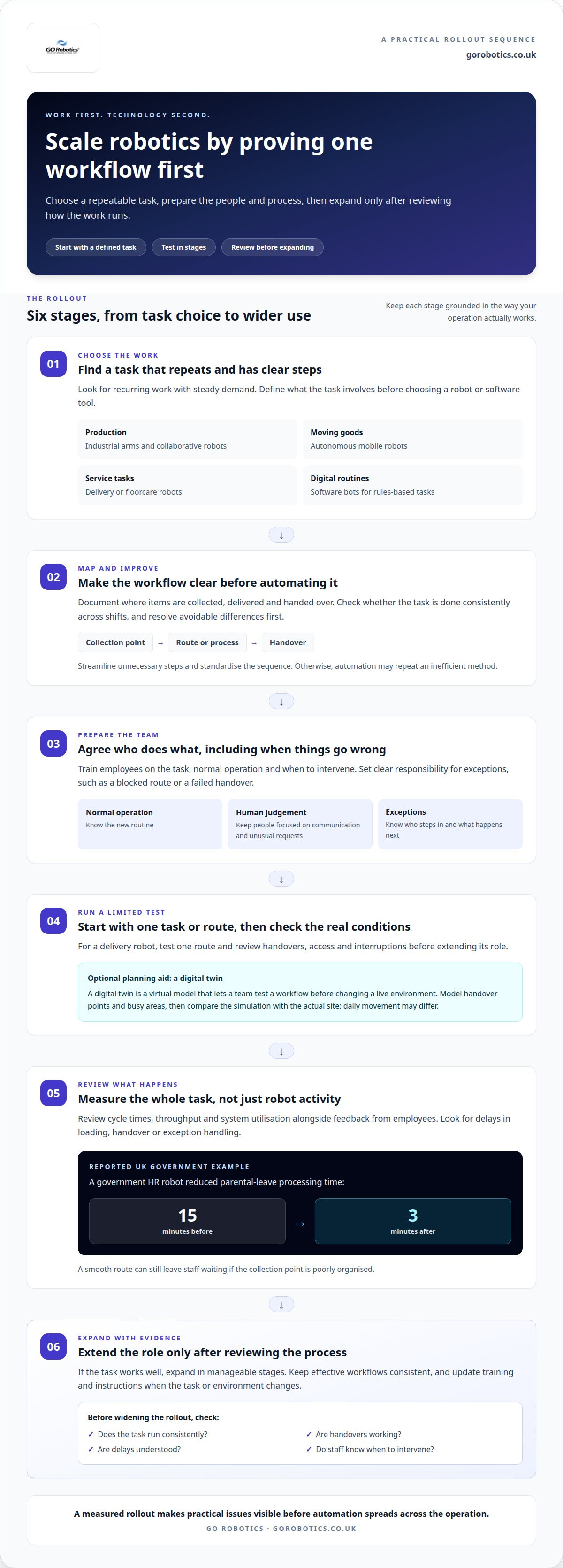
- The UK Government reports that a government HR robot reduced parental-leave processing time from 15 minutes to 3 minutes.
- Map existing processes and bottlenecks before expanding automation, then introduce changes in manageable stages.
- Standardise workflows that work well and review results as workloads and business needs change.
Workforce productivity and collaborative robots
Robotics can support productivity by taking on repeatable work that fits the team’s daily routines. Start with a task that has clear steps, then plan how employees will share the space and handle exceptions.
There is no single deployment figure for robots in the UK. Requirements depend on the robot, site preparation, system integration and support arrangements.
Phased implementation and workforce training
A phased implementation introduces automation in stages, beginning with one defined task and expanding after reviewing how it works. This approach to scaling business operations with robotics gives staff time to learn new routines before workflows change more widely. For example, start with one delivery route, then assess handovers, access and interruptions before extending the robot’s role. Train employees on the task, normal operation and when to intervene.
Balancing robots with the human workforce
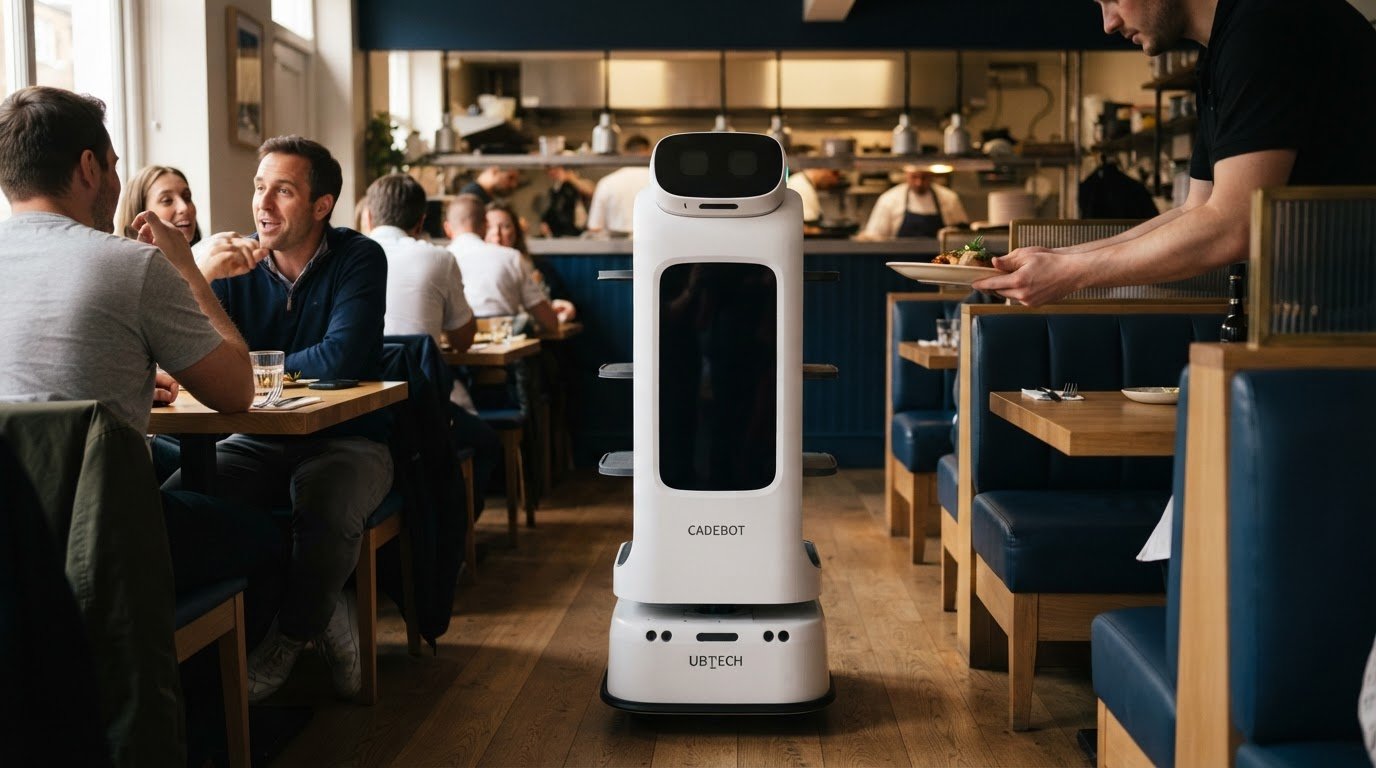
Balancing people and robots means assigning repeatable tasks to machines while employees focus on work requiring judgement, communication or personal attention. In a hotel, a service robot could carry items between service areas while staff assist guests and handle unusual requests. Decide who responds if a route is blocked or a handover fails. Clear responsibilities help employees use automation without leaving customers unsure whom to approach.
Workflow streamlining and standardisation
Streamlining removes unnecessary steps, while standardisation gives a task a consistent sequence. Before automating a supplies route, document where items are collected, delivered and handed over. Check whether the process is consistent across shifts and resolve avoidable differences first. Otherwise, a robot could repeat an inefficient method. A written workflow also helps supervisors compare how the task runs across departments as the operation expands.
Digital twins are virtual models that let teams test a workflow before changing a live environment. Use one to model a delivery route through a shared corridor, including handover points and busy areas. A simulation can highlight design issues for the team to review before adopting a new routine. Then compare the model with the actual site, since real movement and daily activity may differ from the simulation.
After deployment, review cycle times, throughput and system utilisation alongside feedback from employees using the process. Check whether delays occur during loading, handover or exception handling, rather than counting only the robot’s completed tasks. A smooth route, for example, can still leave staff waiting if the collection point is poorly organised. Scaling business operations with robotics also means updating training and workflow instructions when the task or environment changes.
How automation can free staff for higher-value work
Automation can take routine work off employees’ hands, giving them more time for tasks that need judgement or personal attention. The right fit depends on the work and how each tool connects with your existing operation.
Business robotics includes industrial arms and collaborative robots for production, autonomous mobile robots for moving goods, and service robots for tasks such as delivery or floorcare. Software bots handle routine digital tasks. Each category suits different workflows, environments and levels of human involvement.
There is no single typical return on investment or payback period for business robotics. Assess whether the expected gains in capacity, completed work or service quality justify the changes needed to introduce and run the system.
UK businesses may be able to use the annual investment allowance (AIA), which allows qualifying capital expenditure to be deducted in the year of purchase. Robots-as-a-Service (RaaS) is a rental arrangement that can include the robot, software and support. The right option depends on the project and how your organisation plans to manage the equipment.
Productivity gains from repetitive task automation
Repetitive task automation assigns recurring, rules-based work to software or machines, allowing staff to focus on work that needs judgement or communication. According to UK Government, a government HR robot reduced parental-leave processing time from 15 minutes to 3 minutes. When assessing a similar process, map the manual steps and identify where information is entered, checked or passed between teams.
Flexible automation across end-to-end processes
End-to-end automation links several stages of a process instead of automating one isolated action. For example, software could carry a routine request from submission through record updates and notification, while employees handle exceptions. Map how information moves between systems and teams before selecting tools. This reveals duplicate entry and approval points, helping you decide where automation can support the workflow.
Specialist support for scaling automation
Specialist support can help assess how a tool fits your task, site and existing systems. A deployment plan can cover integration, staff instruction, testing and responsibility for exceptions. These details matter when a process crosses departments or relies on several systems. Identify who owns the workflow and how interruptions are handled before extending deployment. Discuss your automation requirements as you consider the next step.
Choose tools by matching their capabilities to the work, rather than starting with a preferred technology. For a physical delivery route, assess the site, handover points and movement of goods. For a digital process, map the software, approvals and information transfers involved. Test the proposed workflow in a limited setting, then review whether the tool completes its assigned tasks and where employees still need to intervene.
What are the risks of automating business processes too quickly?
Automation can increase output, but it won’t fix a process that already causes delays. Before choosing a robot or software tool, map how work moves through your operation, from the initial request to the finished task. For example, trace an order from stock selection through picking, packing and dispatch. This shows where work waits, employees repeat tasks or information gets lost.
Process mapping helps identify bottlenecks, where work builds up or waits for people, equipment or decisions. In a production line, a faster robot at one station may simply send more parts to a slower inspection stage. Record each handover, approval and queue, then compare the actual flow with the intended one. This clarifies whether automation addresses the constraint or shifts it elsewhere.
Consider time to market as well as machine speed. If an automated stage needs new layouts, system links or revised work instructions, those changes can affect the wider production schedule. A manufacturer introducing automated packing, for example, should map how packaging materials reach the cell and how completed goods move to dispatch. Fixing a supply or handover delay may matter more than increasing the packing rate.
Assess exceptions before automating a process. A robot or software bot may handle a standard task, while damaged items, missing information or unusual customer requests still need employee attention. Document those cases and decide who reviews them. If exceptions are frequent, automation may create a queue for human intervention instead of removing one. The process map should show both the normal route and where staff take over.
Check whether your systems and capabilities can support the proposed change. A warehouse robot moving stock, for example, depends on accurate location records and a clear replenishment process. If records are unreliable, automation can repeat errors at higher volume. Before expanding deployment, review the information used at each stage, the equipment involved and the skills employees need to manage exceptions.
Increasing automation too quickly can make faults harder to isolate. Keep changes focused enough to identify which workflow, system connection or work instruction caused a problem. Track operational data such as cycle times, throughput and system utilisation, then compare it with employee feedback. A recurring delay reported by staff may reveal a handover issue that system figures alone do not explain.
Use the assessment to set clear rollout boundaries: define the task, its inputs, expected output, exception handling and who owns each handover. Review these details after a change, especially if production demand or product mix shifts. This keeps automation tied to a measured business need, supports steady implementation and reduces the risk of automating a bottleneck without addressing its cause.
Collaborative robots for growing businesses
Robotics can help you scale by taking on repeatable work, increasing capacity and supporting consistent processes. Collaborative robots are one option when people and machines need to share a work area.
Collaborative robots in scaling operations
Collaborative robots, often called cobots, are designed to work alongside people on tasks such as assembly or machine tending. For a manufacturer adding a product line, a cobot could handle a repeated fastening task while an employee checks components and manages exceptions. This can increase output without automating every stage. “Collaborative” describes the intended working arrangement, not a guarantee of safety; assess the task, equipment and workspace together.
Robotics as a route to operational scale
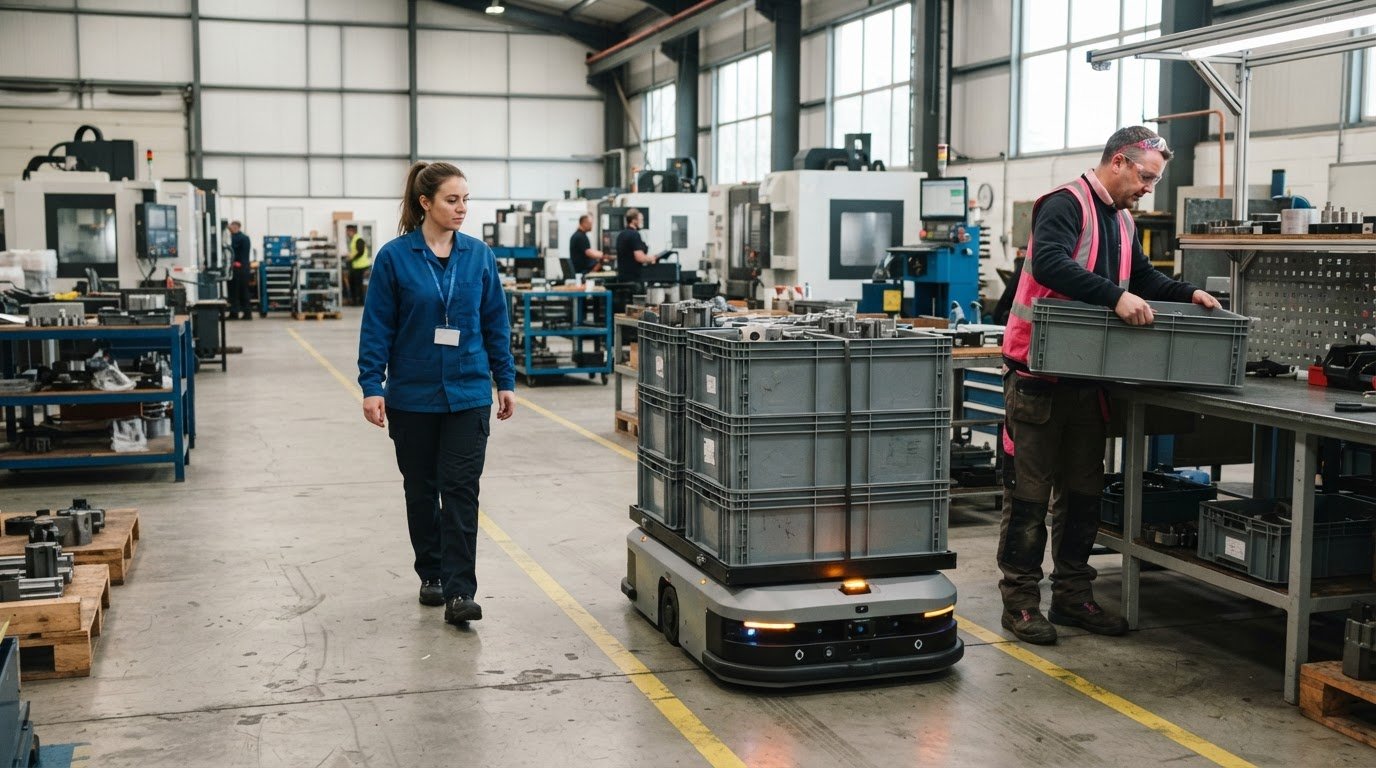
Robotics supports operational scale by repeating a defined task as demand grows, while staff handle work requiring judgement or customer interaction. For example, a warehouse could use mobile robots to move stock between storage and packing areas. As needs change, the operation can expand the automated workflow rather than redesigning every process at once. The key measure is whether the system helps meet demand without creating new delays elsewhere.
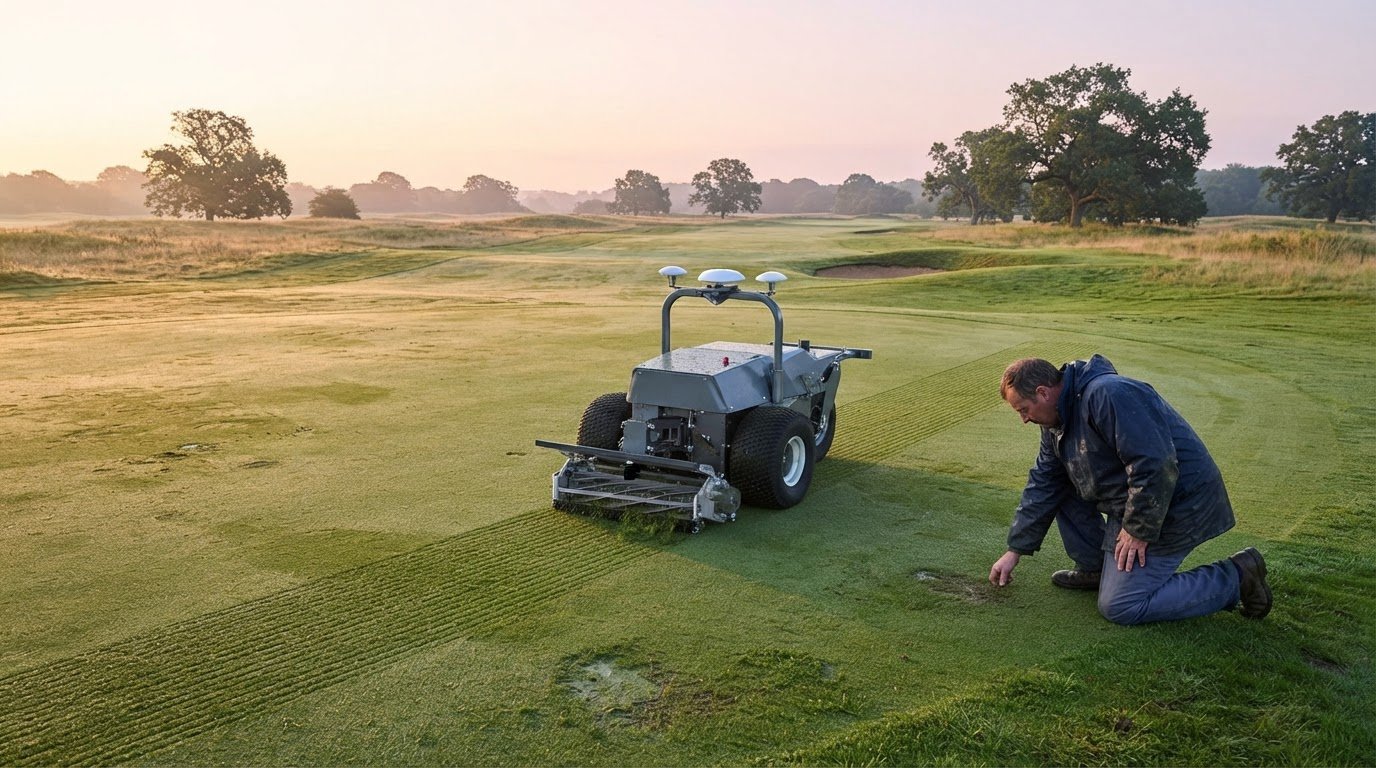
Choose automation to address a specific operational constraint. In a small manufacturing unit, machine tending may keep a production machine supplied while an employee inspects finished parts. In a distribution environment, an autonomous mobile robot may move goods between work areas. These applications differ, so assess the task, surroundings and handovers before deciding which system fits.
Growth also changes the mix of work. A cobot set up for one assembly task may need different programming or tooling when product lines change. Plan for that adjustment when reviewing the process, so the robot’s capabilities match the work rather than forcing employees to adapt to a poor fit. This helps prevent existing inefficiencies from carrying over into a larger operation.
The environment matters. A busy packing area has different demands from a controlled production cell, and shared routes can affect how people and machines work together. Mark task boundaries, identify where staff interact with the robot, and decide how work continues if the automated step pauses. This makes the deployment easier to assess under actual operating conditions.
Track whether the robotic system supports the intended workload. Compare completed tasks and interruptions with feedback from employees on the relevant shift or in the relevant work area. If a machine-tending cobot reduces repetitive handling but creates a queue for inspection, the next improvement may be at inspection, not at the robot. Use this evidence to guide expansion and involve employees in decisions about changing tasks.
Consistent quality and standardisation
Robotic systems can repeat defined tasks consistently, helping maintain quality as demand and capacity change. The benefit depends on clear process standards: a robot repeats its programmed method, so inconsistent inputs or unclear instructions can still lead to uneven results.
Start by defining what a satisfactory result looks like for each task. In a packing operation, document the correct item, packaging method and destination before automating the sequence. For floorcare, specify which areas need cleaning and how staff identify missed sections. These criteria give employees a shared reference point when reviewing the output.
Robotic systems can maintain tight tolerances and consistent handling across repeated cycles. That repeatability is useful for tasks such as placing components or moving standard loads, but it does not remove the need for quality checks. Inspect outputs, record defects and identify whether problems begin with the robot, its inputs or an earlier process step.
Use a consistent method to review performance. Compare completed work with agreed quality criteria, and log recurring errors, rework and interruptions. For example, if a packing line repeatedly receives incomplete orders, check the order information and picking handover before changing the automated packing stage. This helps locate the source of variation rather than masking it.
Standardisation also makes expansion to another site easier. Once an automated configuration has been validated, robotic systems can be replicated across facilities. Before deploying elsewhere, compare the new site’s layout, workflow, equipment and staffing arrangements with the original. Keep the task definition consistent while accounting for local differences that could affect the process.
Document changes to settings and work instructions so employees know which method is current. If a product range or delivery route changes, review the workflow and quality checks before updating the robot. A clear record helps teams understand why the process changed and lets managers compare results across shifts or locations.
Capacity should grow without weakening the checks that protect quality. As workload increases, monitor whether inspections, replenishment and exception handling can keep pace with automated output. Otherwise, a faster upstream task may send more work to a slower review stage. Use employee feedback alongside process records to spot new delays and decide where the next adjustment belongs.
Consistent results come from repeatable workflows, defined acceptance criteria and regular review, not automation alone. If you’re planning service-robot deployment, discuss your robotics requirements in relation to your site and daily processes.
GO Robotics: Pudu BellaBot
GO Robotics supplies the Pudu BellaBot for recurring delivery tasks in hospitality venues. It may suit operations where staff regularly carry items between service areas, giving them more time for guest-facing work. Assess the route, handovers and how the robot would work alongside your team to determine whether it fits.
For other service tasks, GO Robotics also supplies the Pudu KettyBot and Pudu HolaBot. Identify the repeated task you want to address, then compare it with the robot’s intended role and your day-to-day workflow. A clear task definition helps keep deployment focused as your operation grows.
If you’re considering a service robot for your business, contact GO Robotics to discuss your requirements.
Set a clear direction for your next deployment
Start by deciding what you want a growing operation to make possible. That might mean giving staff more time with guests, supporting a busier service or maintaining consistent standards across a larger site. A clear priority keeps automation connected to how your business works.
Scaling business operations with robotics is an ongoing business decision, not simply a choice of machine. Consider which task should change first and how success would look to the people who manage it each day. GO Robotics offers the Pudu BellaBot, Pudu KettyBot and Pudu CC1 for businesses assessing service robots across hospitality and floorcare settings.
When you’re ready to explore a practical next step for your operation, Discuss automation with GO Robotics. A focused conversation can help you consider where a robot may fit and how to move forward with confidence.
Frequently Asked Questions
Beyond pilots: why scale automation?
Scale automation when a tested deployment supports a wider operational need, not simply to increase the number of robots. A successful pilot can show whether a task suits automation; wider use can then help standardise it across shifts, departments or sites. For example, a retailer might extend a validated stock-movement process to another branch. Compare results across locations to identify where different layouts or practices call for adjustments.
How do you scale business automation as a company grows?
Link each new deployment to a clear business need and assign someone to oversee its performance. As demand changes, review whether existing equipment has spare capacity before adding more automation. For example, a hotel expanding its service operation might first review how deliveries are requested, routed and handed over. Keep training, support arrangements and process records current so teams can manage changes consistently as activity grows.
What does scaling a business mean?
Scaling a business means increasing its ability to handle more work without letting processes, service or quality fall behind. Growth might involve serving more customers, processing more orders or operating across additional sites. Expand the systems and responsibilities that support the work, rather than relying on informal fixes. For example, a growing venue may need a consistent way to allocate deliveries across teams and locations.
What is scalability in robotics?
Scalability in robotics means extending or adapting an automated process as operational needs change. That might involve adding units, applying a proven workflow elsewhere or adjusting task assignments when demand shifts. It also depends on whether the surrounding processes can support that expansion. A robot fleet is not scalable in practice if each new deployment needs a completely different workflow or leaves staff unsure how to manage it.
Which business processes are best suited to robotics and automation?
Processes with repeatable steps, clear inputs and predictable outcomes are often good candidates for automation. Examples include moving items between defined locations, handling routine floorcare or transferring standard information between business systems. Suitability also depends on exceptions: tasks requiring frequent judgement or personalised customer interaction may need people to remain central. Consider how often the process changes, what happens when information is missing and whether someone can handle exceptions promptly.
What steps should a UK business take to assess, pilot and scale a robotics deployment?
Start by recording the task, its handovers and the problem you want to address. Set a baseline using relevant measures, such as completed deliveries or missed tasks. Next, select a suitable robot, plan its operating area and train the employees involved. During a pilot, record disruptions and staff feedback. If the process works as intended, document the operating method before expanding deployment to another team or site.
How can robots integrate with existing equipment, software and workflows?
Integration starts with understanding how the robot must interact with its surroundings and the systems already in use. For physical equipment, review routes, handover points and access controls. For software, identify what information must pass between systems, such as a task request and its completion status. Agree who manages exceptions and what staff should do if an automated handover fails. Test these connections in the intended workflow before wider use.
What are the main risks and challenges of scaling robotics, including cybersecurity and downtime?
Common challenges include automating a process with unresolved bottlenecks, poor handovers, disruption during changes and unclear responsibility when equipment stops. Connected robots also need appropriate cybersecurity controls. Limit system access to authorised users, clarify software and network responsibilities, and include robots in the organisation’s security reviews. Plan how staff will handle essential tasks during downtime, then record faults and responses so teams can learn from interruptions and improve continuity.