Service robot breakdown response and repair times
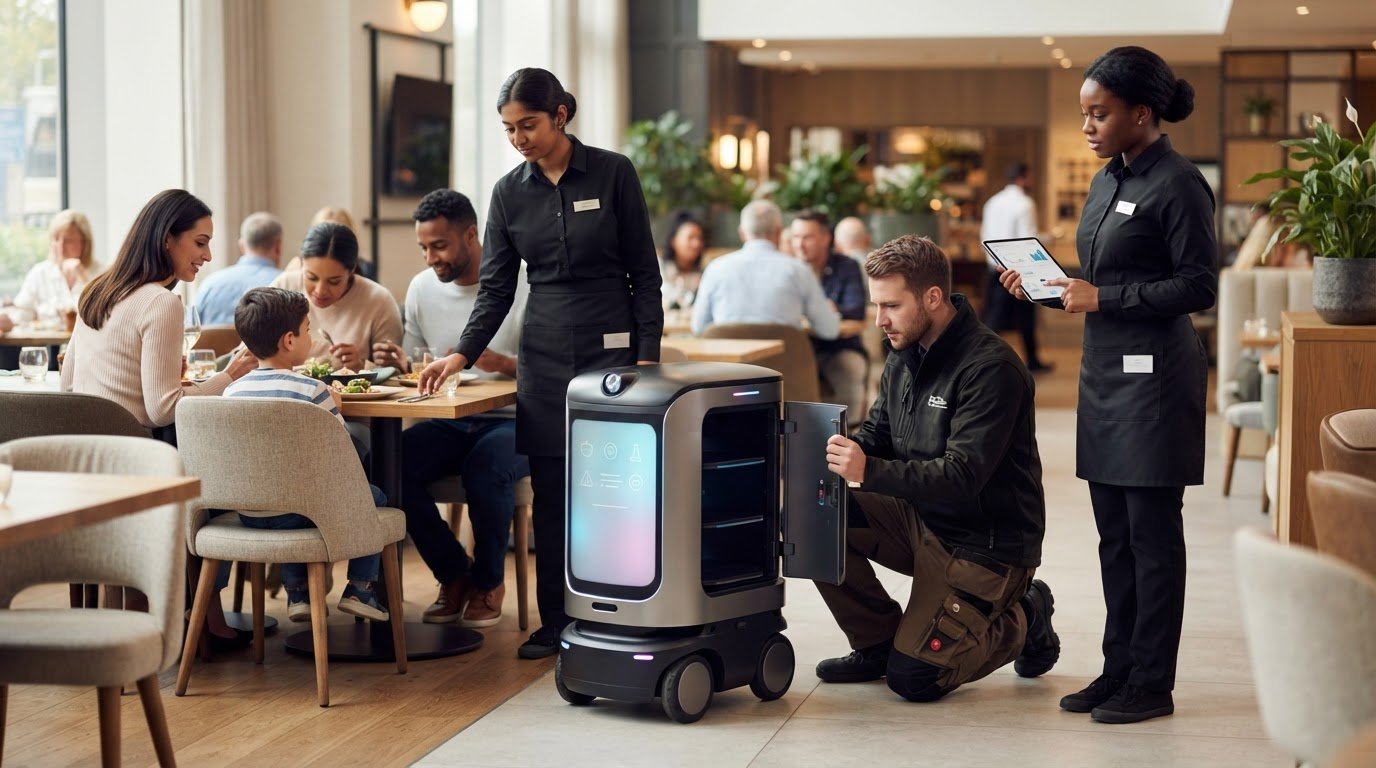
A breakdown doesn’t have to become a bigger disruption. If you’re asking what happens if a service robot breaks down, pause its task, keep people clear if it’s behaving unpredictably, and note any warning message before contacting support. Remote troubleshooting may be the first step; faults that require physical work need a repair plan. The priority is to protect people and maintain service continuity while the fault is assessed.
It’s reasonable to want to know how long a robot will be out of action, especially when staff rely on it during busy periods. Repair time depends on the fault and diagnosis, so there is no single timeframe for every case. Prepare by making sure staff know who reports the issue and how essential tasks will continue while the robot is unavailable.
This article explains how support arrangements work, what remote troubleshooting may involve and how corrective maintenance can return a robot to service. You’ll also learn what information helps assess a fault and which common causes to consider. Use these practical steps to set expectations with your team and plan for breakdowns when choosing service robots for your venue.
Key Takeaways
- Stop the robot’s task and make the area safe before attempting any checks.
- Record warning messages and describe what happened to help support assess the fault.
- Remote troubleshooting can help identify whether the issue can be resolved without an on-site repair.
- The repair process depends on the fault and the parts or work needed to correct it.
- Learn what to consider when choosing a service robot and support arrangement for your venue.
Response times and service-call limits
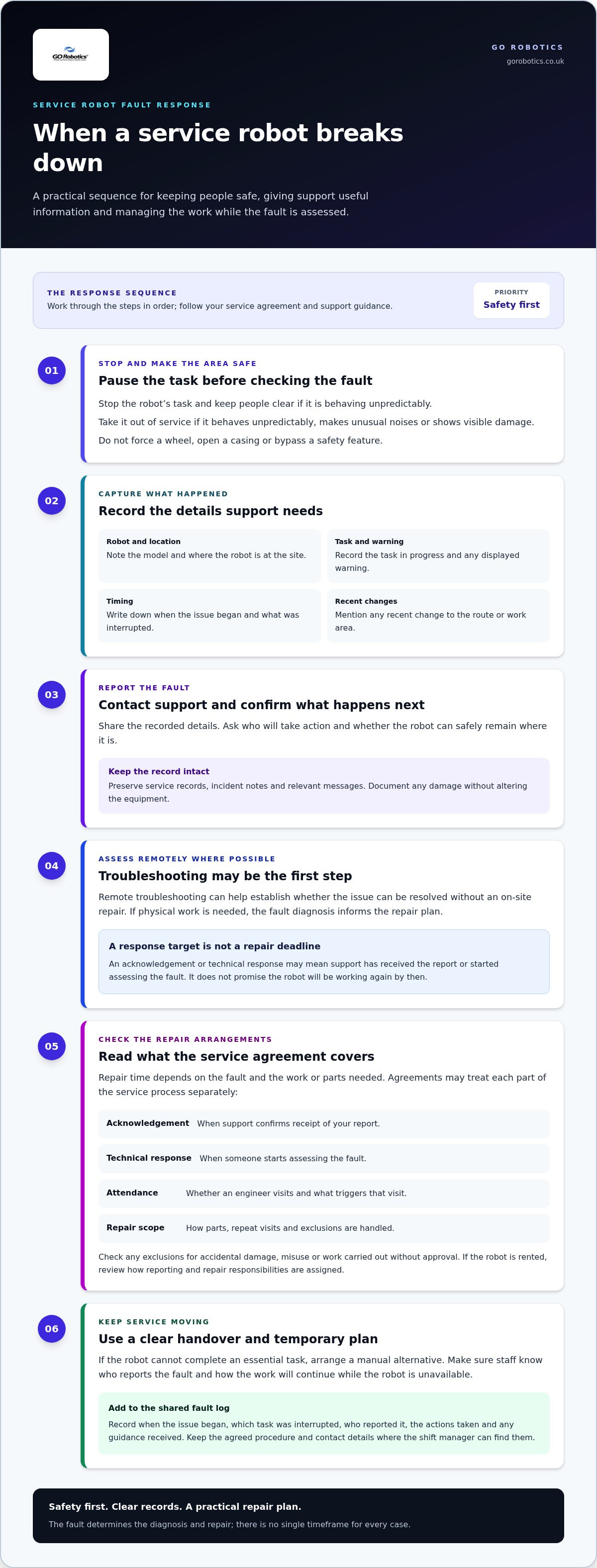
When a service robot stops working, check the service agreement before assuming when help will arrive. Look for separate definitions of acknowledgement, technical response, engineer attendance and completed repair. A response target usually covers contact or an initial assessment, not a promise that the robot will be working again by then. Support may begin diagnosis while the unit remains out of use.
Compare the stated service hours with the times your venue relies on the robot. A hotel may need deliveries during evening service, while a cleaning robot may be scheduled after guests leave. Check which contact route applies outside normal office hours and whether the agreement sets different terms for remote support and site visits. A robot fault follows its own service terms, not roadside assistance procedures.
Check what counts as a service call. The agreement may define remote troubleshooting, an on-site visit, parts, travel and repeat attendance separately. Read any exclusions for accidental damage, misuse or work carried out without approval. If the robot is rented, review how the agreement assigns reporting and repair responsibilities. Keep the relevant clause and contact details somewhere the shift manager can find them.
- Acknowledgement: when support confirms receipt of your report.
- Technical response: when someone starts assessing the fault.
- Attendance: whether an engineer visits and what triggers that visit.
- Repair scope: how parts, repeat visits and exclusions are handled.
Who is responsible if a service robot breakdown causes injury or property damage? Responsibility depends on evidence about the fault, how the robot was operated and maintained, and what happened at the time. Preserve service records, incident notes and relevant messages, and document any damage without altering the equipment.
When reporting a fault, give support the details needed to assess what happened: the model, site location, task, displayed warning and any recent change to the route or work area. Ask what happens next, who will take action and whether the robot can safely remain where it is. If it cannot complete an essential task, arrange a manual alternative to keep service running.
For a useful comparison, review support terms before a robot enters daily use. A restaurant operator can confirm how to report a delivery fault during service; a facilities manager can check who authorises an engineer’s visit. Keep the agreed procedure with staff instructions so the person on duty can follow it without searching old emails.
24-Hour technical support
A 24-hour support service gives your team a route to technical assistance outside ordinary working hours. Its practical value depends on what staff can do with that assistance. For a hotel, a night manager may need help deciding whether a stalled delivery robot can remain in a corridor. A facilities team may need guidance on whether to pause a scheduled cleaning task until the fault is assessed.
Build support into your shift procedure instead of leaving the details with one manager. Keep fault-reporting instructions beside the robot’s operating guide, and make sure every shift knows who can contact support. If the usual contact is unavailable, staff should know where to find the correct details. This avoids delays caused by searching personal inboxes during a busy service.
Set out a clear escalation path for staff. For example, a team member can report a routine task failure, while a manager takes charge if the robot blocks a customer route or affects an essential delivery. Define who can pause the task, who informs colleagues and who decides on a temporary manual process. These roles help staff act consistently across day and night shifts.
- Keep instructions accessible: store the support procedure with the robot’s operating information.
- Assign cover: name the manager or supervisor responsible on each shift.
- Set escalation steps: explain who takes charge when service or access is affected.
- Record the handover: note actions taken and any guidance received for the next team.
Use a shared fault log to keep the support conversation clear. Record when the issue began, which task was interrupted, who reported it and what guidance staff followed. If a morning manager takes over from a night supervisor, the record provides context without relying on memory. It also helps support follow the incident as it develops.
Technical advice does not replace local judgement. Staff know whether a route is crowded, whether a task is urgent and which manual alternative is available. Give them a simple rule: follow support instructions, keep the public away from any unsafe area and escalate if the situation changes. That keeps decisions practical for the venue and the current shift.
When reviewing a robot deployment, include support procedures in staff training and operating plans. Discuss how assistance fits the work your team does and how handovers will be managed. You can review service robot support arrangements as part of planning for your venue.
Corrective maintenance
Corrective maintenance is the work carried out after a fault stops or affects a service robot. It can range from clearing an obstruction to replacing a damaged component. For example, a delivery robot stopped by a caught tray may need a different response from one showing a persistent sensor warning. The diagnosis determines the repair.
Take the robot out of service if it behaves unpredictably, makes unusual noises or shows visible damage. Don’t force a wheel, open a casing or bypass a safety feature. Record the error message, location and task in progress, then follow support instructions. Report a robot fault through its support arrangement, rather than treating it like a roadside breakdown.
Once support receives the report, the repair process usually follows a practical sequence:
- Assess the fault. Describe what the robot did before stopping and share any displayed warning.
- Run permitted checks. Follow technician instructions, such as checking for an obstruction or confirming the charging connection.
- Decide on repair. Support determines whether the issue can be resolved remotely or needs physical inspection.
- Restore operation. After repair, follow the agreed checks before returning the robot to its normal task.
If a component has broken, the part required and repair method determine the next steps. A loose or obstructed item may be straightforward to address, while internal damage can require an engineer and replacement parts. Keep the affected unit out of service until the repair is complete and support confirms it can return to work.
Keep a maintenance record with the date, fault description, error messages, checks performed and repair outcome. If a similar fault returns, that history helps support compare incidents instead of treating each report in isolation. For example, repeated stops at the same point on a route may point to a recurring site or navigation issue.
How can service robot downtime and future breakdowns be reduced? Report faults promptly, follow the manufacturer’s maintenance instructions and train staff to perform only approved checks. Use repair records to identify recurring problems, and review routes, charging routines and daily cleaning for conditions that may contribute to faults.
Corrective maintenance returns a robot to service after a fault; it does not replace routine care. Make responsibilities clear in staff procedures, including who can stop the robot, who contacts support and how the team handles its task during repairs. Preparation helps prevent an isolated breakdown from disrupting the whole shift.
Remote troubleshooting
Remote troubleshooting allows a support technician to investigate a robot fault without beginning with an on-site inspection. They may ask your team to check the screen, describe the robot’s last task or follow specific operating instructions. If the robot supports remote access and the service arrangement allows it, the technician may also connect remotely. Not every fault can be resolved this way.
Prepare clear observations before the call. Note the robot’s location, the task it was performing, any warning displayed and whether the issue began after a change in the area. For example, a unit that stops after its route is altered presents different clues from one that will not start after charging. A precise description helps the technician choose relevant checks.
During the session, keep one staff member beside the robot and another available to describe what they see. Follow the technician’s instructions in order, and report the result of each check before moving on. Don’t open panels, disconnect components or repeat a reset unless the technician directs you to. These limits help prevent a minor fault from causing further damage.
- Identify: Give the model and the location where the fault occurred.
- Describe: Explain the task, warning and behaviour immediately before the stop.
- Check: Carry out only the steps the technician approves.
- Record: Write down what changed after each instruction.
Remote guidance may help with issues such as a visible obstruction or an operating setting, but a damaged component may need physical inspection. The technician uses your observations and the results of checks to decide what to do next. If the same warning remains, report exactly what happened instead of restarting the process or trying unrelated fixes.
People nearby come first. If the robot is moving unpredictably, stop using it and keep the route clear while support assesses the fault. In a hotel corridor, staff can direct guests around the affected area; in a restaurant, they can move the delivery task to a manual process. A passenger or drivers are not part of a robot repair, so roadside procedures don’t apply.
Before a remote session, agree who will operate the robot and who will speak with support. Keep the operating instructions available, and share access details only with the authorised support contact. When the session ends, ask what action was completed, whether the robot can return to its task and what warning signs should prompt another report. Record the handover for the next shift.
What are common causes of service robot breakdowns?
A service robot may stop because of a physical obstruction, a charging issue, a sensor problem or damage. The cause often relates to what happened just before the fault. For instance, a delivery robot that repeatedly stops near a doorway may have encountered an obstacle or a route change. Note the location and conditions before reporting the problem.
Obstructions are a practical place to start. A loose cable, dropped napkin or item left in a corridor can block movement or interfere with a sensor. Cleaning robots may also encounter debris around moving parts. Keep routes clear, and remove visible obstructions only when the robot is safely stopped and its operating instructions permit it. Don’t reach inside the unit or force a jammed part.
Charging and power faults can also interrupt work. A robot may fail to start if it has not connected properly to its charging point, or if the charging area has been moved or blocked. Check the connection and surrounding area according to the manufacturer’s instructions. If it still will not charge, record what the display shows and report the fault rather than repeatedly repositioning it.
Changes in the working environment can affect sensors and navigation. A newly placed sign, rearranged furniture or temporary queue may alter a familiar route. Dust or marks on an exposed sensor can also affect detection. Note recent changes to the area, but don’t adjust settings or clean sensitive components unless the instructions allow it.
- Route issue: Record where the robot stops and what has changed nearby.
- Charging issue: Check the charging point and connection as instructed.
- Physical obstruction: Stop the task and remove only accessible obstacles safely.
- Visible damage: Take the robot out of service and report what you can see.
Wear, impact and unsuitable handling may lead to faults over time. Repeated contact with furniture, for example, can damage an outer panel, while a collision may affect movement or alignment. Don’t assume a robot is safe to use just because it still powers on. Report unusual noises, changes in movement or visible damage, and follow support guidance before restarting it.
Staff habits and site routines matter, too. Someone might move a charging point, alter a route or attempt an unapproved reset, making the original fault harder to diagnose. Keep operating instructions beside the robot, show staff which checks they may perform and record recurring issues. That information helps support distinguish a one-off obstruction from a fault that needs repair.
Review the task, route and working conditions if the same stoppage returns. To discuss which service robot support arrangements suit your site and daily tasks, talk through your robot requirements.
GO Robotics: Pudu BellaBot
GO Robotics can help you assess whether Pudu BellaBot suits your venue and delivery tasks. If you’re planning a new deployment, reviewing support arrangements or replacing a robot, start by considering how your team works and where the robot needs to travel. A site survey helps shape a recommendation around your venue and tasks.
GO Robotics also offers Pudu KettyBot and Pudu HolaBot, giving you options to discuss for different service requirements. Share the tasks you want to automate, your site layout and the support your staff will need. This gives the team practical context to recommend a suitable model and plan its installation.
Contact GO Robotics to discuss your requirements, or visit gorobotics.co.uk.
Plan support around the work your robot needs to do
Before introducing automation, decide who will report a fault, how staff will handle essential tasks meanwhile and where support instructions will be kept. This makes breakdown response part of everyday planning, rather than an improvised decision during a busy shift. Understanding what happens if a service robot breaks down also helps you set realistic expectations and plan a workable fallback.
When choosing a model, match its intended role to your site and service needs. GO Robotics offers Pudu BellaBot, Pudu KettyBot and Pudu CC1, with different models to consider for your operation. Discuss the tasks you want a robot to perform alongside the support arrangement you need around it.
Talk with GO Robotics about robot support for your venue, and take the next step with a plan that fits your operation.
Frequently Asked Questions
What should you do immediately if a service robot breaks down?
Pause the task and keep people away from the robot if it is moving unpredictably, hot, damaged or making unusual noises. Tell the shift manager and note where it stopped, what it was carrying and what happened immediately beforehand. If it was transporting food, medication or other time-sensitive items, arrange a safe manual handover and follow your venue’s handling procedures.
How can you safely shut down or isolate a faulty service robot?
Keep the area clear, then use the robot’s documented stop or shutdown procedure. Follow the operating manual for its model, as controls differ between machines. Don’t reach into moving parts, remove panels or disconnect batteries unless the instructions or support technician direct you to. If you cannot stop it safely, prevent access to its route and contact the designated support channel for guidance.
Can a service robot be repaired on site, or does it need to be returned to the manufacturer?
Either option may apply, depending on the fault, robot design and repair arrangement. A technician may be able to address an accessible issue at your venue, while a fault requiring specialist equipment or parts may need workshop assessment. Before moving the unit, ask for handling and transport instructions. Include its model and fault details so the service team can plan the assessment.
How long do service robot repairs typically take?
Repair time depends on the fault, the checks needed for diagnosis, parts requirements and whether the work takes place on site or in a workshop. A setting issue and a damaged component involve different work. Ask support what stage the repair has reached, what needs to happen next and whether your team should keep the robot out of service. Record updates for the manager covering the next shift.
How much does it cost to repair a service robot in the UK?
The amount depends on the diagnosis, required parts, labour, transport or on-site work, and any applicable warranty coverage. Give the service team the model, fault description and relevant maintenance history, then request an itemised quote before authorising a repair. If you rent the robot, review the agreement to see how it assigns repair work and which fault or damage conditions it covers.
Does a service robot warranty cover breakdowns and accidental damage?
Warranty coverage depends on the specific terms supplied with the robot. A warranty may treat a component fault differently from accidental impact, misuse or damage during cleaning, so read its exclusions and reporting process. Keep the purchase or rental paperwork and maintenance records together. When reporting a fault, describe any incident accurately and ask which assessment or repair steps the warranty terms require.