Service robot fleet management software, control and KPIs
A robot fleet needs more than individual machines carrying out assigned tasks. Effective service robot fleet management helps your team plan missions and routes, allocate work, and monitor each robot’s operating status in one system.
It’s reasonable to expect the software to do more than show robot locations. It can also bring together task, battery and charging, connectivity, fault, utilisation and idle-time information, helping your team understand what is happening across the operation.
This article explains what fleet management software does and how it can connect with systems such as warehouse management, manufacturing and enterprise resource planning platforms. You’ll also learn how scheduling and task priorities shape robot control, and which measures can help you assess utilisation and interventions. The aim is to explain the technology in practical terms, so you can identify what to consider when planning a fleet for your site.
Key Takeaways
- Separate basic fleet monitoring from orchestration, which can coordinate tasks, priorities and shared resources across robots.
- Understand how links with warehouse, manufacturing and enterprise systems can help align robot missions with wider workflows.
- Choose measures such as utilisation, idle time and operator interventions to see where work is flowing well and where adjustments may help.
- Use scheduling and task priorities to manage competing missions and reduce avoidable blockages in shared spaces.
- Assess platform capabilities such as access controls, event monitoring and local or cloud deployment against the needs of your operation.
What Is Robot Fleet Management Software?
Service robot fleet management software brings robot locations, tasks, battery levels, connectivity and faults into a shared view. It should help staff interpret each robot’s status and work patterns, not merely display a map.
Fleet Visibility and Robot Status
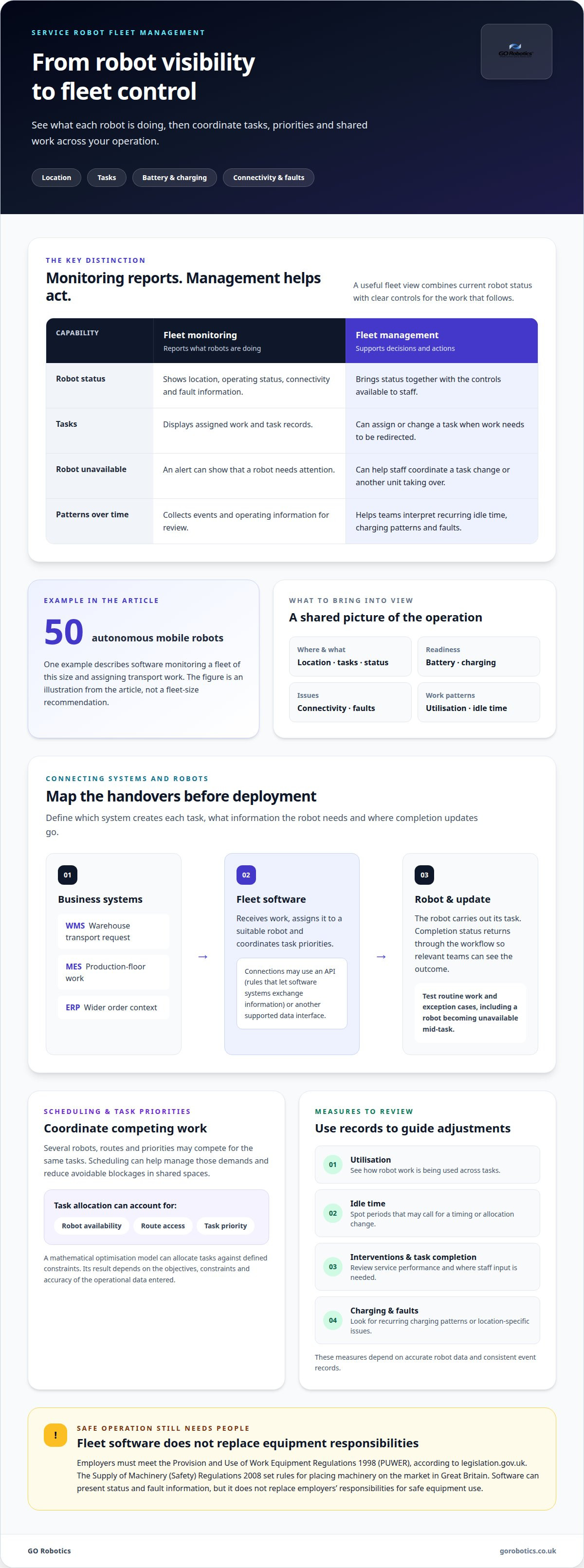
Fleet visibility is a live view of where robots are and what they are doing. It matters when a warehouse team needs to spot a stalled delivery robot before another task depends on it. A fleet system can show location, operating status, assigned tasks, connectivity and faults together. One example describes software monitoring 50 autonomous mobile robots and assigning transport work. Staff can use that shared status to see which robot is available and where an intervention may be needed.
Charging, Maps and Fleet Analytics
Mapping, charging and analytics features bring location and operating information together for monitoring and review. A map can show where robots are working, while charging status helps staff identify units that need to return to a charging point. The software can also record tasks, battery levels, utilisation and idle time. Reviewing these records helps a logistics team spot recurring idle periods or charging patterns, then decide whether to adjust task timing or allocation.
Monitoring Versus Fleet Management
Robot fleet monitoring reports what robots are doing; fleet management also supports decisions and actions. A monitoring screen may show a robot’s location, connectivity and fault status, while management software can assign or change its task. This distinction matters when a robot becomes unavailable: if another unit needs to take over, an alert alone is not enough. A useful dashboard makes both the current status and available controls clear.
Service Monitoring and Data Analysis
Monitoring collects robot events and operating data, while analysis helps staff interpret patterns across tasks and faults. For example, repeated connectivity problems in one area may point to a location-specific issue, while idle time can indicate that task timing needs attention. Teams can compare task completion, interventions and charging records to understand service performance. These measures support practical decisions, but rely on accurate robot data and consistent event records.
Monitoring also sits within the wider responsibilities of operating work equipment in Great Britain. Employers must meet the Provision and Use of Work Equipment Regulations 1998 (PUWER), according to legislation.gov.uk. The Supply of Machinery (Safety) Regulations 2008 set the rules under which machinery is placed on the market in Great Britain, according to legislation.gov.uk. Fleet software can present status and fault information, but it does not replace employers’ responsibilities for safe equipment use. Clear records help teams see reported issues and coordinate follow-up.
Fleet architecture and integration with WMS, MES and ERP
Integrating and deploying a robot fleet management system starts with mapping workflows, data exchanges and robot interfaces. The platform then connects with relevant business systems, and teams test task assignment and handovers before expanding its use.
Robot Compatibility and Integration Architecture
Integration architecture defines how robots, fleet software and business systems exchange information. Compatibility matters because an autonomous robot can only receive useful work if its interfaces support the required tasks and data.
For example, a warehouse management system (WMS) can provide a transport request, while fleet software assigns it to a suitable robot. A manufacturing execution system (MES) may coordinate production-floor work, and an enterprise resource planning (ERP) system may provide wider order context. The connection can use an application programming interface (API), a set of rules that lets software systems exchange information, or another supported data interface.
During deployment, teams map each handover: which system creates a task, what information the robot needs, and how completion updates the workflow. They then test routine cases, such as moving goods from a warehouse collection point to a production area. This reveals mismatched task formats or missing status updates before the connection is used for live industrial work.
Load Balancing with Optimisation
Mixed-integer linear programming is a mathematical method for allocating tasks while meeting defined operational constraints. It can be useful when several robots, routes and priorities compete for the same work.
A model can represent decisions such as which robot receives a transport request, alongside limits such as availability, route access or task priority. The result depends on the constraints and objectives entered into the model, and does not replace accurate operational data. In a warehouse, for example, the aim might be to distribute eligible tasks while respecting restricted routes and existing priorities.
Integration also needs a clear operating boundary. The fleet layer may coordinate autonomous robots with automated guided vehicles, conveyors, robotic arms and a WMS, sequencing work across those systems. This architecture helps teams identify which system owns each decision and avoid duplicate task assignment. As workflows expand across facilities or robot types, assess the platform against that expected complexity.
Plan deployment around the business process, not just the robot connection. Document data fields, task ownership, fault handling and how completion status is returned. Test routine work and exception cases, such as a robot becoming unavailable during a transport task. This shows whether another system receives the update and whether staff can see the resulting change.
For procurement, distinguish software licensing, integration work and ongoing support, since each covers a different part of deployment. Support arrangements should describe how software issues, interface changes and operational questions are handled. A clear scope lets your team assess the work involved; mapping fleet requirements against platform access, integration and continuing support keeps those parts distinct.
Fleet utilisation, intervention rates and operational KPIs
Utilisation shows how much of a robot’s available time goes towards productive work. It helps you distinguish a busy fleet from one that completes useful missions consistently. A fleet operating near full capacity has less room for charging, faults and demand peaks. Keep utilisation below about 85% to leave that headroom, rather than treating the highest possible activity as the best result.
Set KPIs around the work your mobile robots perform. For logistics transport, useful measures include completed missions, average cycle time, waiting time, charging time and operator interventions. An intervention might involve clearing a route, recovering a stalled task or taking control remotely. Track the reason as well as the count, so you can link a high intervention rate to a route, task type or operating environment.
Use a consistent calculation for each measure. For example, divide completed missions by scheduled operating time to compare throughput across shifts. Record interventions against missions or operating hours, then compare like with like. A busy warehouse shift and a quieter period may produce different results. Consistent definitions make those differences useful for planning rather than creating misleading comparisons.
A worked warehouse example shows how cycle time relates to fleet size. Cycle time can help inform fleet sizing, but the number of robots needed depends on demand and operating conditions. Treat this as an example, not a universal fleet-sizing rule. Your route lengths, task mix, charging needs and operating conditions affect the number of robots required.
Remote operations let staff access fleet information and manage work from different locations and devices. Teleoperation is different: an operator directly controls a robot remotely, rather than assigning its next mission. When evaluating this function, consider which situations require direct control and how staff return the robot to normal autonomous operation. Log remote actions alongside interventions so they can be included in performance reviews.
AI capabilities should demonstrate measurable operational value. Assess whether an AI feature helps prioritise tasks, identify recurring delays or recommend work reassignment, then compare its output with recorded fleet data. For instance, repeated delays on one route can prompt a review of task timing or priorities. Test under representative conditions before deploying across other environments.
Review KPIs together, not in isolation. High utilisation alongside rising interventions can point to insufficient operational headroom; low mission completion alongside long charging periods suggests a different constraint. Regularly reviewing mission completion, cycle time, idle time and intervention reasons gives operations teams a practical basis for changing schedules, routes or task allocation.
Robot fleet control and scheduling
Fleet control lets operators manage mobile robots, update orders and coordinate shared routes from a central system. In Great Britain, employers must meet the Provision and Use of Work Equipment Regulations 1998 (PUWER), according to legislation.gov.uk; privacy and data-protection considerations also apply where fleet systems process identifiable information.
Centralised Fleet Control
Centralised control brings robot access and task management into one system. It matters when teams oversee robots across separate areas or locations instead of managing each unit in isolation. Operators can access the fleet from different devices, send or change orders, and view events or alarms. For example, a supervisor can review a reported fault and update an affected task through the control system.
Robot Scheduling
Scheduling defines when robots work, which areas they serve and how missions are prioritised. It matters when several mobile robots share narrow aisles, lifts or loading areas. If two robots approach an aisle where they cannot pass, both may stop for safety. A scheduler can assign mission priorities and coordinate access, helping staff prevent important work from being blocked behind a lower-priority task.
A fleet system can assign a robot to a mission directly or select which available robot receives it. In a hospital, schedules can define when robots work and which areas they serve. In logistics, recurring transport jobs can be stored as missions and managed through a remote-access database. Operators can change an order when demand shifts instead of treating the original schedule as fixed.
Shared infrastructure also needs coordination. Centralised orchestration can manage how robots use common routes and other shared resources. A scheduling policy might prioritise a time-sensitive delivery, then release a route for routine work. Teams can also define what happens when a robot becomes unavailable, so its mission can be reassigned instead of remaining in the queue.
Access controls help keep fleet actions accountable. A system can define user access levels and privileges, giving staff permissions suited to their roles. For example, an operator may need to change orders, while an administrator manages user permissions. Event and alarm records can also show activity involving robots or controllers connected to doors, lifts and loading docks.
Privacy requires particular care if cameras or other sensors capture information that identifies people. Limit access to relevant staff, use collected information for defined operational purposes and set appropriate retention practices. Include these controls in deployment planning, alongside route design and task rules. A custom schedule should reflect actual site workflows, not simply copy settings from another building.
Before wider use, test representative missions: routine delivery, a changed order, a blocked route and an unavailable robot. Confirm that the system records the update and shows the resulting status to operators. This helps teams understand how central control, scheduling and human decisions work together in everyday operations.
Robot fleet management platforms and documented capabilities
UK buyers can consider robot-maker platforms, fleet orchestration software, or custom systems built using ROS 2. The right management system depends on robot compatibility, required controls and how the platform connects with your operation.
Available Service Robot Fleet Platforms
Available platform types range from manufacturer-specific software to custom systems built on open robotics middleware. ROS 2 provides a foundation for communication between robots, sensors and software components, which developers can use to build fleet coordination tools.
This distinction matters if your operation uses different robot types or expects its workflows to change. A platform’s interface should suit the tasks staff need to manage, not just display information about one robot.
Documented Platform Capabilities
Documented capabilities describe what a platform can do, rather than what a product description might imply. A fleet management system can define user access levels, monitor robot events and alarms, and run locally or in the cloud.
Some systems also monitor controllers that manage communication with lifts, doors, and loading or unloading docks. These functions matter when an alarm involves shared site equipment, not just a robot.
Compare each capability with an operational example. For instance, can the system show which users may change tasks and record an alarm involving a lift controller? Clear answers help you assess whether the software supports your working practices.
Deployment format affects how staff access the platform and where its management functions run. A local deployment keeps the system on site, while a cloud deployment makes it accessible through cloud-hosted services. Choose based on your organisation’s IT arrangements, access needs and approach to data handling.
Coordination features also deserve close attention. A system may monitor several robots without coordinating their missions, or it may help manage task priorities and shared resources. For example, a warehouse using robots alongside conveyors needs clear workflow handovers so that a task update reaches the right system.
Ask for capability evidence tied to real workflows: a task change, a robot alarm, a permissions adjustment and a controller event. This makes platform comparisons specific without assuming every product has the same functions. It also gives your team a practical basis for assessing how the interface supports daily work, using your fleet requirements to focus the comparison on relevant robot roles and controls.
GO Robotics
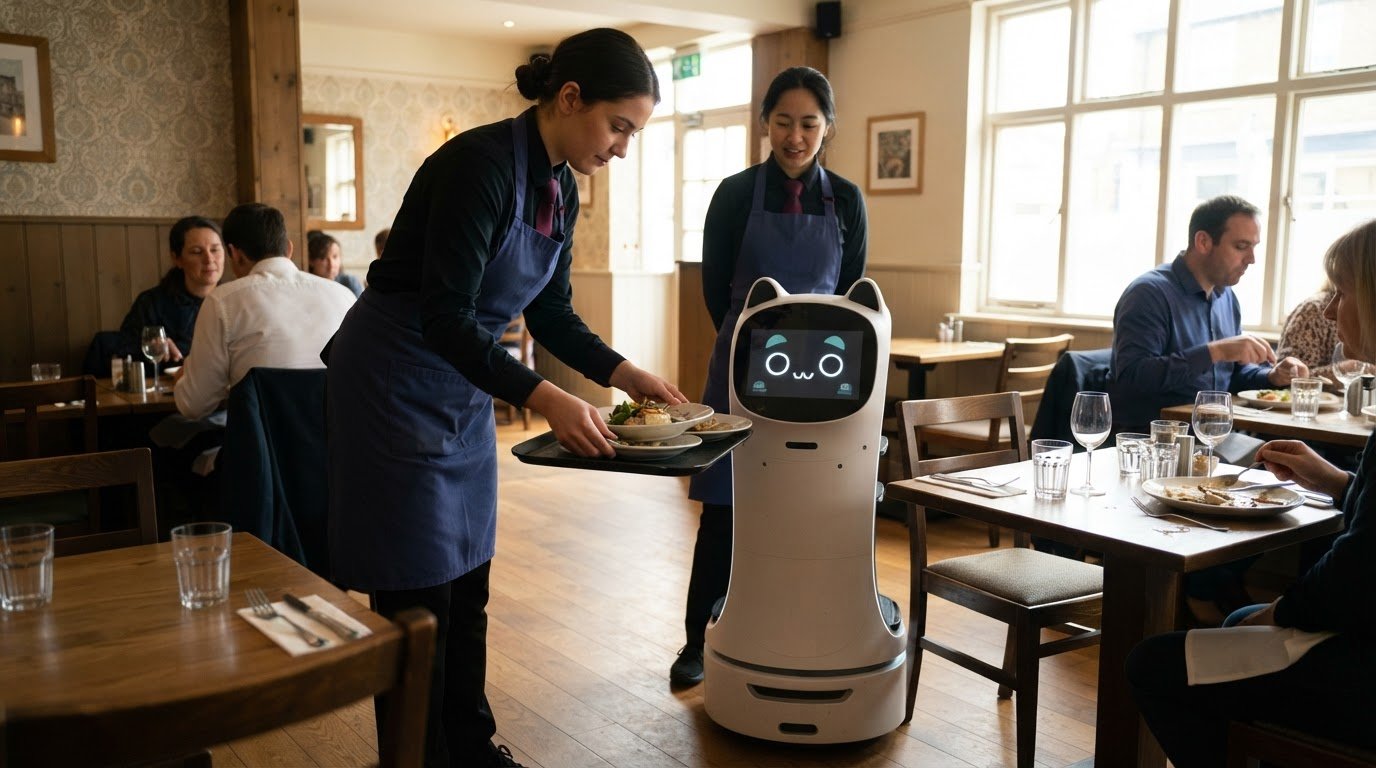
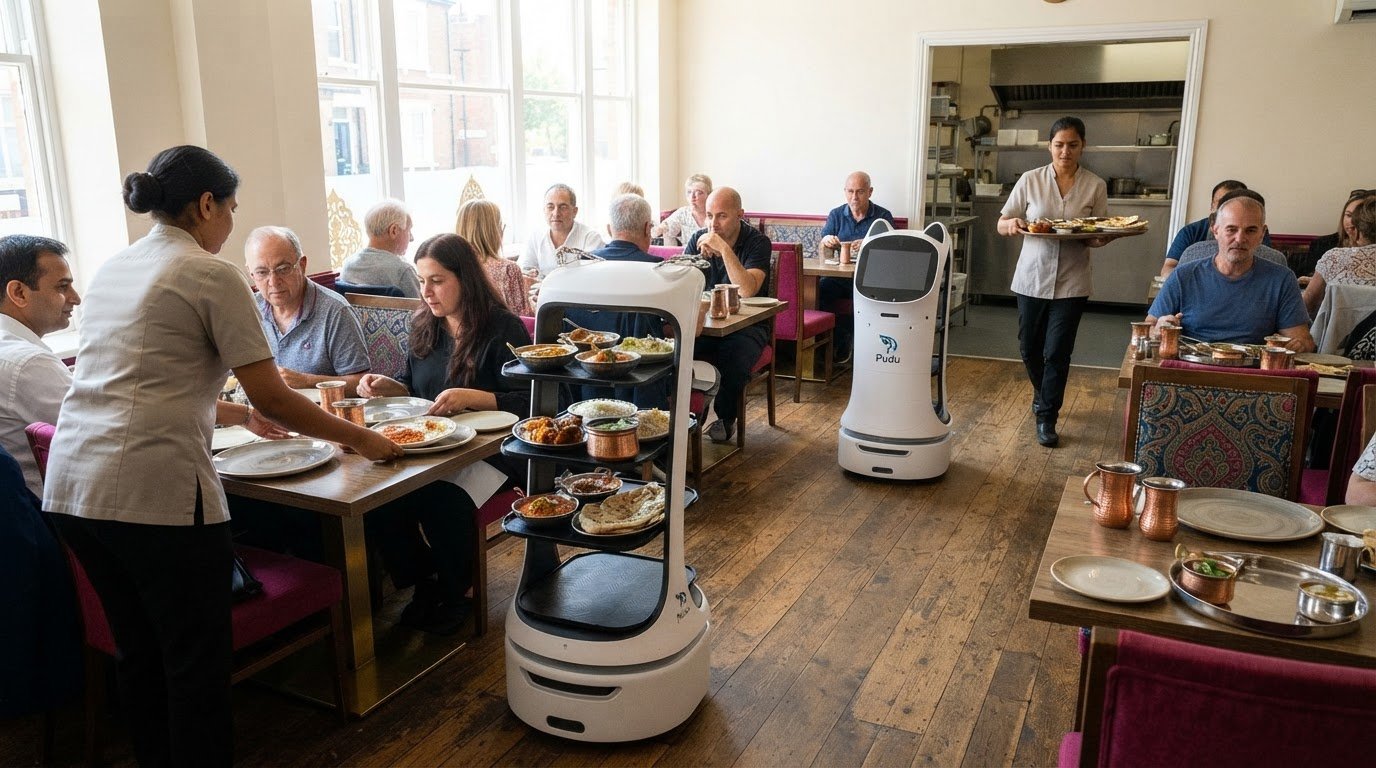
GO Robotics can help you connect fleet planning with the practical choice of service robots for your venue. If your requirements centre on deliveries or moving items between areas, Pudu BellaBot, Pudu KettyBot and Pudu HolaBot are options to consider as part of your wider operating plan.
Turn to GO Robotics when assessing which robot roles fit your workflows, site layout and staffing routines. A site survey helps inform a model recommendation, while your planned tasks and fleet controls shape how a robot fits into daily operations. This is a useful next step if you’re moving from software research towards selecting robots for a real workplace.
Contact GO Robotics to discuss your requirements.
Plan the next step for your operation
Good fleet planning starts with the work you need done, not a list of dashboard features. Define the tasks, routes and handovers your team wants to improve, then consider how each robot role fits into that operating plan.
GO Robotics can help you assess commercial robot options for those workflows, including Pudu BellaBot, Pudu KettyBot and Pudu CC1. The right choice depends on the work, site and intended use; fleet software and robot selection need to support the same operational goals.
As you move from research to planning, consider how service robot fleet management will fit with your staff, existing systems and approach to task control. A clear picture of the work gives your team a practical starting point for discussing integration and deployment.
Contact GO Robotics about fleet management to discuss your operation and possible next steps. A considered plan can help you move towards automation with confidence.
Frequently Asked Questions
What Is Multi-Robot Orchestration Software?
Multi-robot orchestration software sets rules for how several robots complete linked work. It can account for task dependencies, so a later job does not start before a required earlier job finishes. For example, a collection task might follow a delivery only after the goods arrive. This is useful when a business process depends on a sequence of robot actions rather than isolated trips.
What is service robot fleet management and how does it work?
Service robot fleet management is the process of organising robots’ work through software and operational rules. Teams define the jobs robots should perform, the conditions for starting them and how exceptions are handled. A care setting, for instance, might separate routine supply movements from urgent requests, giving staff a clear way to direct work without treating every task as identical.
How do fleet management systems differ?
Systems differ in the tasks they support, the robots they work with and the level of control they provide. Some focus on one manufacturer’s equipment; others are designed to coordinate a wider range of robots. Compare how each system handles your specific workflows, staff roles and expected changes. A useful assessment tests real tasks, not just a feature list.
What should UK businesses consider before choosing fleet software?
Start with the operational scope: which robots and tasks need managing, who will use the software and what information those users need. Consider whether your organisation needs local or cloud access, and how the platform fits its existing IT practices. A clear requirements document keeps selection focused on necessary functions instead of features that do not support your intended workflows.
How can operators improve fleet performance?
Operators can improve performance by reviewing exceptions and deciding which require a procedural change. For example, if staff regularly need to pause work during a particular activity, managers can adjust when that task runs or clarify who handles the handover. Record the reason for each change and review its effect during normal operations. This connects decisions to observed results rather than guesswork.
What connectivity and building requirements should teams assess?
Assess the physical and digital conditions along each planned route. A site review should consider network coverage, charging locations, access points and any building systems a robot must interact with. Identify who controls those systems and how faults are reported. This helps distinguish a robot issue from a building-system issue, clarifying troubleshooting and responsibility during day-to-day operations.
What risks should businesses plan for when managing robot fleets?
Businesses should plan for unauthorised access, lost communications, incorrect tasks and unexpected interactions with people or equipment. Assign clear responsibilities for pausing work, reporting faults and approving changes to operating rules. A response plan should explain what staff should do if a robot stops in a working area or a task cannot be completed. Review the plan with the people who will use it.
How can businesses assess fleet performance and return on investment?
Assess performance against a baseline that reflects the work before deployment. Track completed work, delays, staff involvement and process changes using consistent definitions over time. To assess returns, relate measured operational gains to the resources needed to achieve them. Separate improvements directly linked to robot use from changes caused by demand, staffing or other process updates.